Overview and concepts
The Survey module integrates the SurveyJS library into Axelor Open Suite. Its goal is to let an organization design, distribute and exploit questionnaires directly from the AOS interface, without resorting to an external tool.
The Survey integration is an enterprise feature. It is not included in the open-source distribution of Axelor.
- Minimum versions required: Axelor Open Suite (AOS) 9.1.+
- Required modules:
axelor-survey(enterprise)
Using this feature on versions earlier than 9.1.0 is not supported and may lead to unpredictable behavior.
Module overview
The core idea is the following: an administrator or a functional manager creates a survey using an integrated graphical editor, defines who should answer it, then publishes it. Respondents receive an email notification and can fill in their questionnaire directly in the application or via a link. Responses are then available to administrators, linked to the respondents' records where relevant.
The module covers two main types of needs:
- internal surveys, aimed at the company's employees (satisfaction, evaluation, internal information gathering);
- external surveys, addressed to contacts such as customers, prospects or leads, in a commercial relationship or quality follow-up logic.
The module does not natively support:
- statistical analysis of results (no automatic summary charts);
- automatic follow-up of non-respondents;
- anonymous surveys (each response is always linked to a respondent identified in AOS).
Key concepts
Survey type: internal or external
The first structuring choice when creating a survey is its type, which determines who it is addressed to and how respondents are identified in AOS.
An internal survey targets the company's employees who have a user account in AOS. Targeting is done by selecting users by name or by aiming at one or more AOS roles, which allows, for example, automatically reaching all users with the "Branch manager" role without having to name them one by one. When an internal survey is published, it appears in the My forms menu of the relevant users, directly in their AOS interface.
An external survey targets people who do not necessarily have an AOS account: third parties (customers, partners, suppliers) or leads. The selection of recipients relies on the targeting lists of the Marketing module, which dynamically filter contacts according to business criteria. Respondents access the survey through the Goovee portal, a web interface dedicated to third parties that natively integrates the Survey module. A notification email can be sent at publication to alert them that a new survey is available.
| Internal survey | External survey | |
|---|---|---|
| Targeted respondents | AOS users (User) | Partner and/or Lead |
| Targeting | By named users and/or by roles | By marketing targeting list |
| Visibility | In the "My forms" menu of targeted users | Via email link or Goovee portal |
| Use case example | Internal satisfaction survey, annual review | Customer satisfaction survey, prospect questionnaire |
The type can be modified as long as the survey is in the Draft status. As soon as it moves to Ready or Published, the field becomes read-only. You must therefore make sure the right type is selected before changing the status.
Response model type: custom or existing
The second fundamental choice concerns the way responses will be stored in AOS. Two approaches are possible, depending on whether responses should be standalone or attached to an existing record.
With the custom model, the module automatically creates a new data structure dedicated to this survey. Each submitted response generates an independent record, containing the answers to the questions as well as the respondent's identity. This approach is well suited to standalone surveys, such as a general satisfaction survey where there is no need to find the response in a specific contact's record.
With the existing model, responses are recorded directly in an existing AOS record, for example in the record of a partner, a lead or an employee. This makes it possible to enrich a business record with the questionnaire answers, without creating redundant data. This approach is particularly suited to qualification questionnaires (filling in a questionnaire on a prospect's record) or to evaluations linked to a specific entity. It does, however, require prior technical configuration if the target entity is not natively compatible with the module.
| Custom model | Existing model | |
|---|---|---|
| Principle | The module automatically creates a dedicated data structure for responses | Responses are recorded in an existing AOS record |
| When to use | Standalone survey, with no link to a specific record | The survey is linked to a specific record you want to enrich with the responses |
| Example | General satisfaction survey | Quarterly/annual employee evaluation |
The response model is set at creation and can no longer be modified afterwards.
The Designer and Viewer concepts
The module relies on two distinct interfaces that correspond to two different moments in a survey's lifecycle.
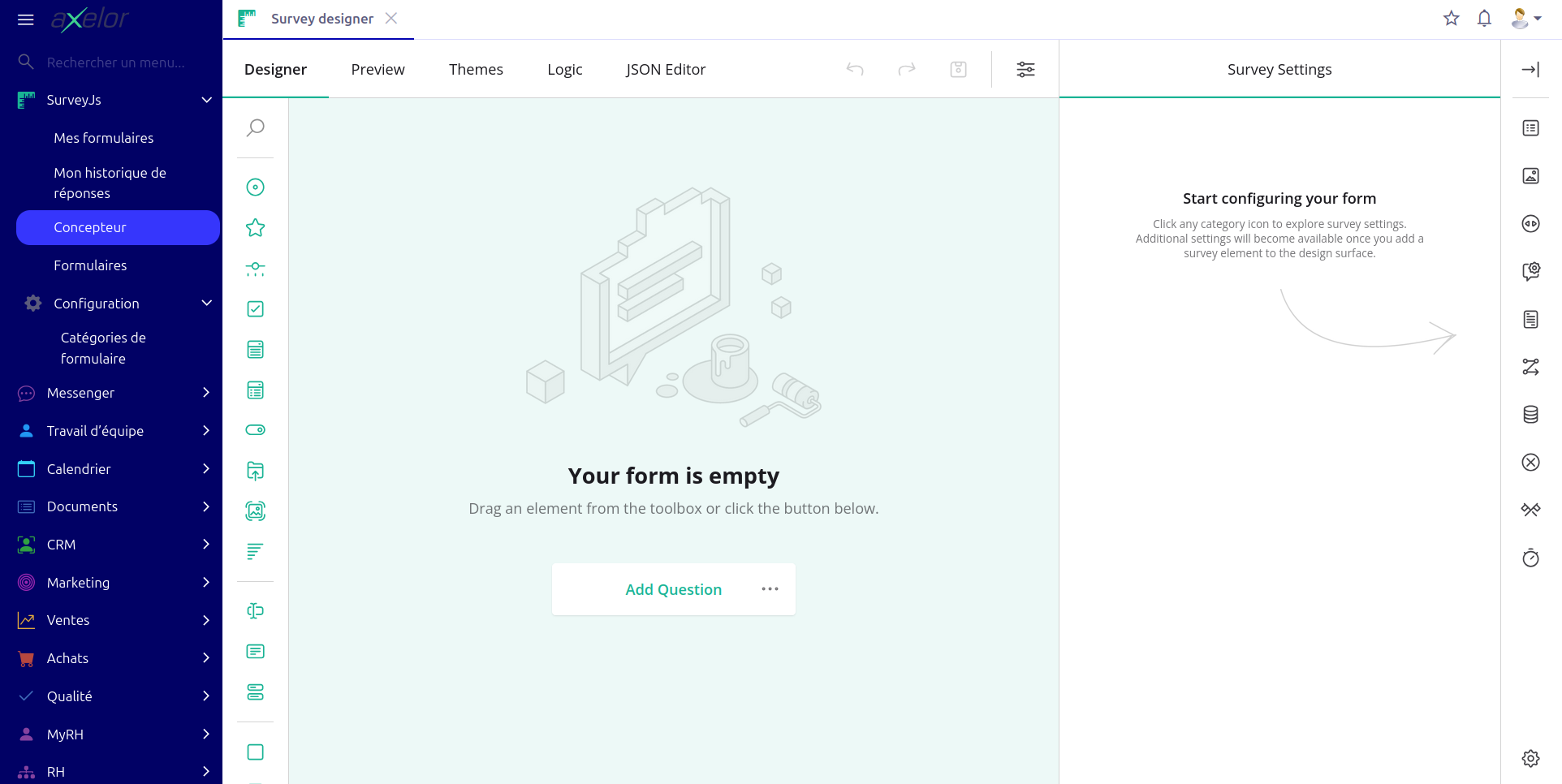
The Designer is the tool reserved for the survey designers. It is a drag-and-drop graphical interface used to build the questionnaire: add pages, choose question types, define conditional display rules, customize the visual theme. The Designer is accessible from the survey form, through the Open in Designer button or through the Designer menu.
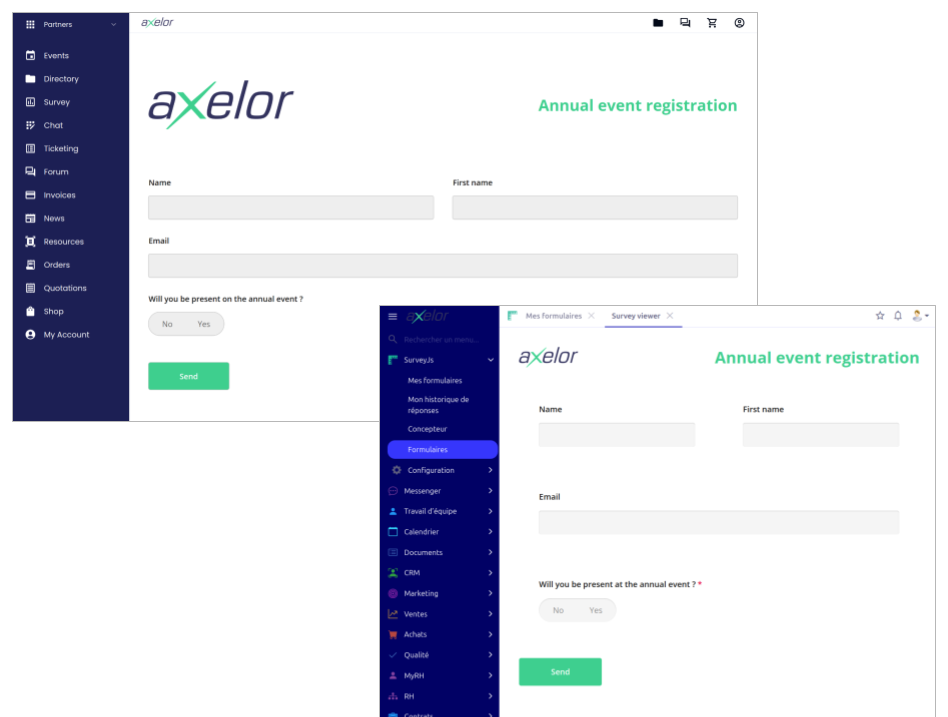
The Viewer is the interface presented to respondents when filling in the questionnaire. For internal users, it opens directly in AOS. For external respondents (customers, partners, suppliers, etc.), it is embedded in the Goovee portal: the survey is displayed in the browser within the portal context, without a popup. In both cases, the Viewer displays the questions as they were designed in the Designer, and records the responses in AOS upon submission.