Creation of templates from a text editor
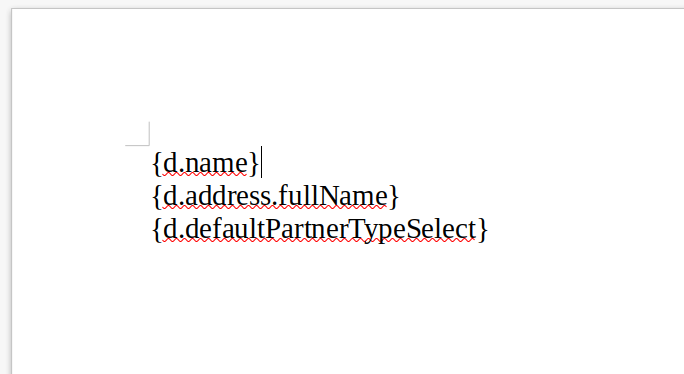
The model allows you to create the document of your choice using the functionalities of Word, for example. Template creation is therefore accessible to everyone because it does not require any technical skills. We can then insert dynamic information inside using a specific syntax.
The dynamic information must be in this format: {d.parameterName}.
Here is the list of document extensions available for your templates and the associated output formats:
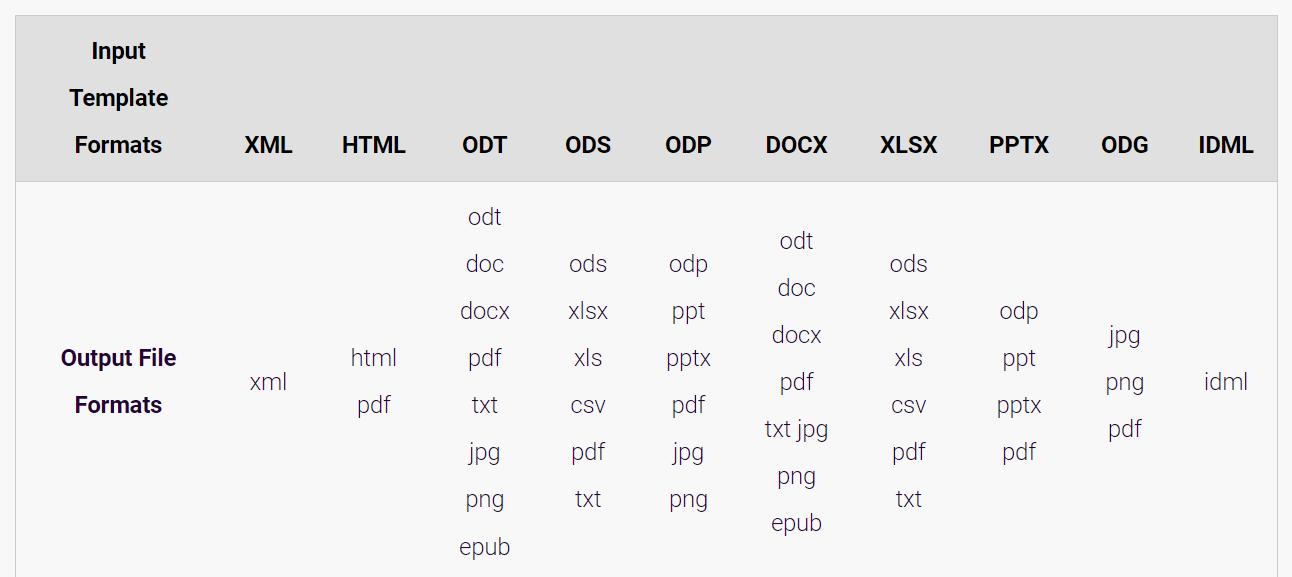
Axelor Template supports a diversity of formats, such as DOCX, PPTX or HTML to name but a few. Once the template is completed and saved in the desired format, you can add your template to Axelor Template from the menu Template > Template print models.