LinkScript
Introduction
A LinkScript is a reusable, named Groovy script that can be chained with other LinkScripts to build composable server-side logic. Each LinkScript holds a Groovy body and a set of arcs that connect it to other LinkScripts, so that complex behavior can be assembled from small, independently testable units instead of one large script.
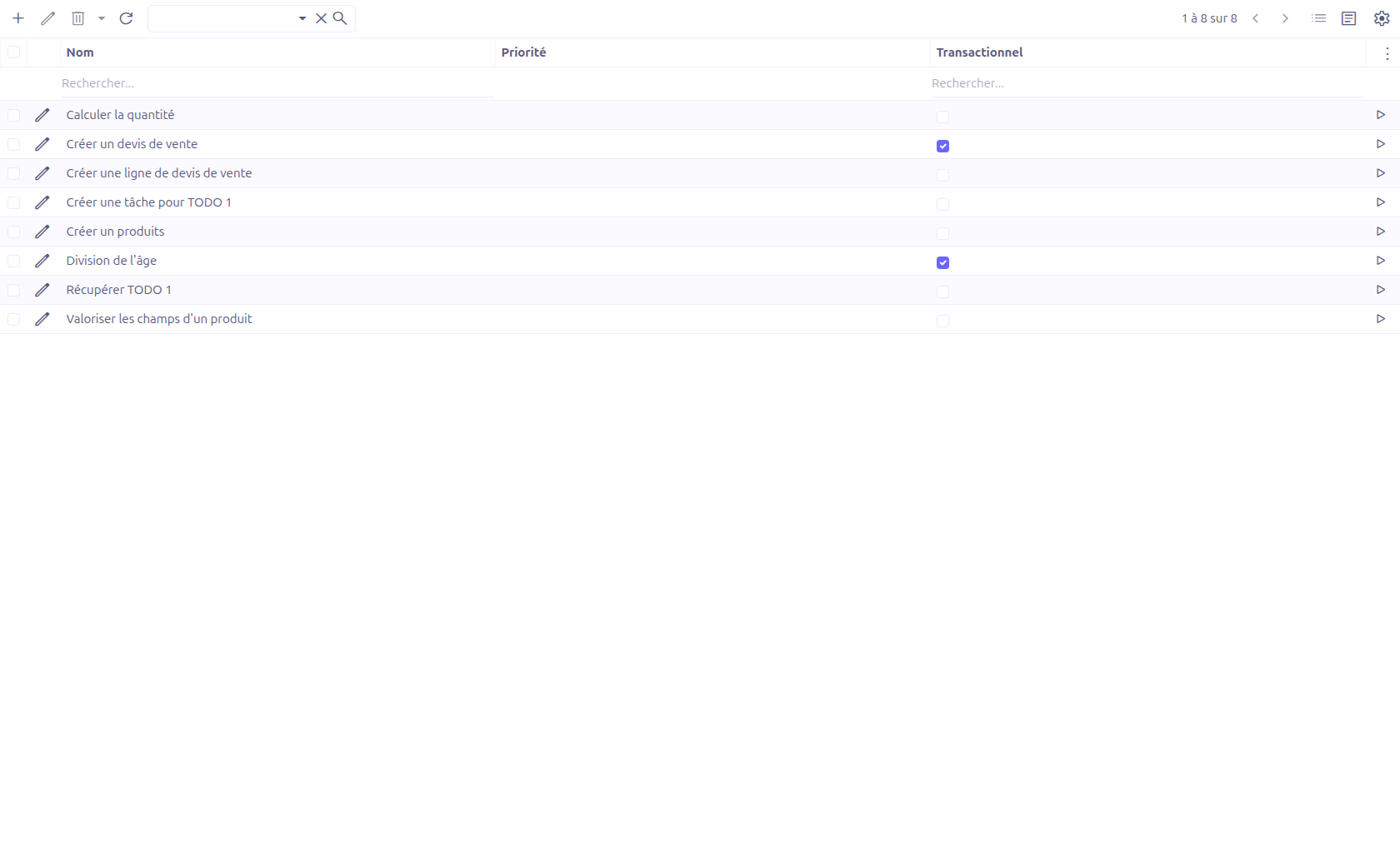
LinkScripts are managed from the App > LinkScript menu.
Creating a LinkScript
Open the LinkScript menu and click New.
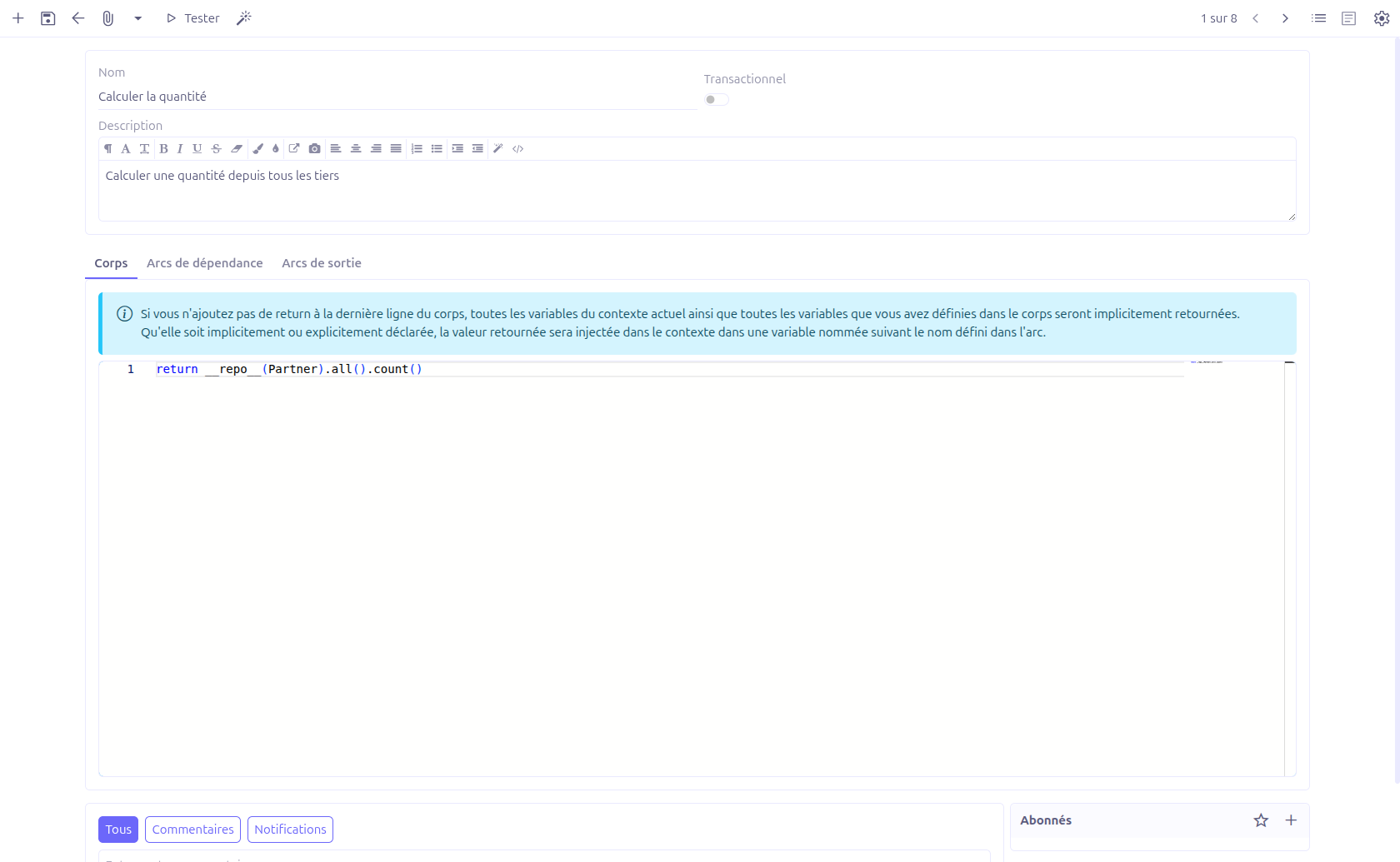
Main Fields
| Field | Type | Description |
|---|---|---|
Name |
String (required, unique) |
Technical name used to reference and run the LinkScript. |
Transactional |
Boolean switch (default: false) |
When enabled, the script runs within a transaction. |
Description |
HTML |
Free-text documentation of what the script does. |
Body
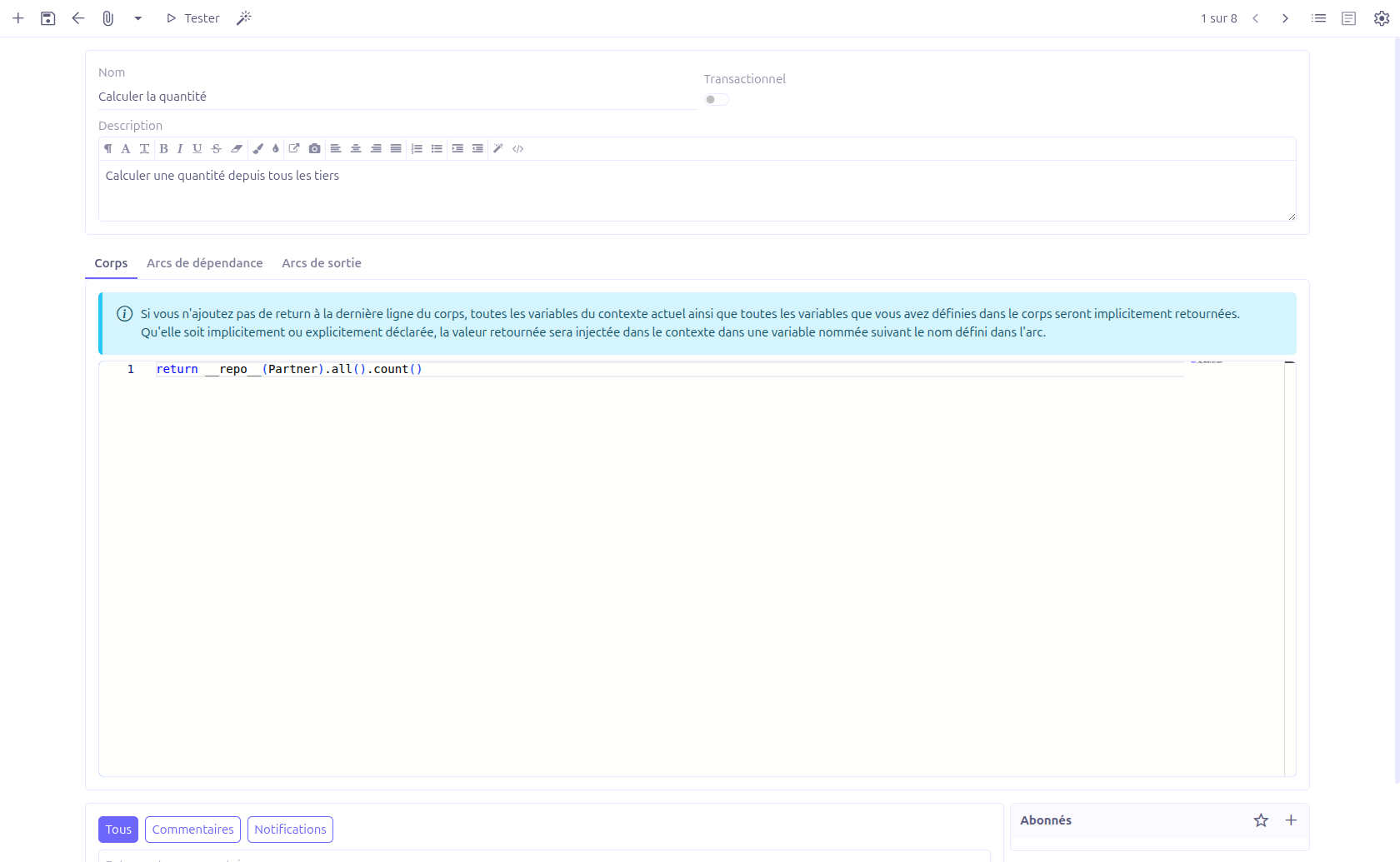
The Body tab holds the Groovy code of the script, edited with a syntax-highlighting code editor.
|
If the body does not end with an explicit |
Arcs
Arcs connect a LinkScript to other LinkScripts and control how results are composed. A LinkScript has two arc panels:
| Panel | Role |
|---|---|
Dependency arcs |
LinkScripts that are run before this script. Their results are injected into the context under the arc’s name and made available to the body. |
Output arcs |
LinkScripts that are run after this script, taking this script’s result as part of their context. |

Each arc has the following fields:
| Field | Description |
|---|---|
Name |
The binding name under which the called script’s result is injected into the
context. Must match the pattern |
Condition |
An optional Groovy condition. The arc is only followed when the condition evaluates to true. |
To LinkScript |
The target LinkScript to run. A new LinkScript can be created inline from this field. |
Dependency arcs are evaluated in ascending Sequence order (set by reordering the rows in the grid).
Running and Testing
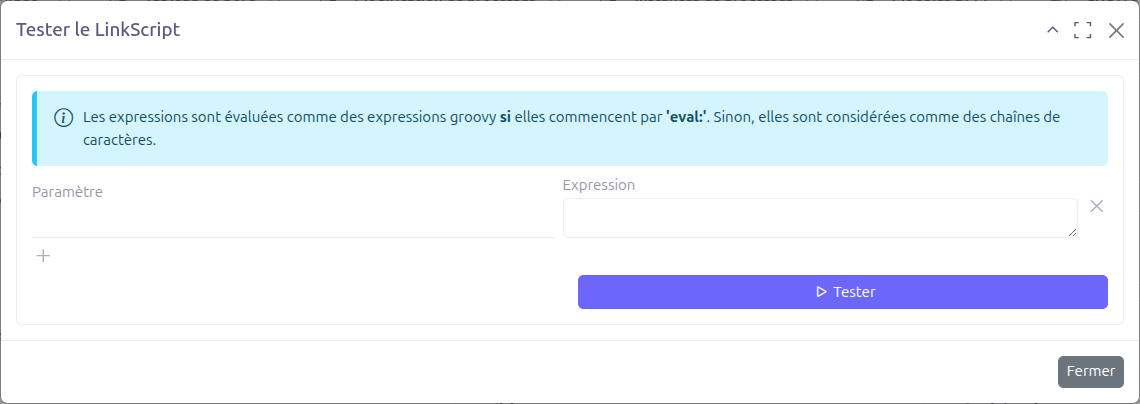
A Test button is available both on the grid and on the form toolbar. It opens a test dialog where you provide bindings for the script.
-
Each binding has a Parameter name and an Expression.
-
An expression is evaluated as a Groovy expression if it starts with
eval:; otherwise it is treated as a plain string. -
The parameter list can be pre-filled from the variables detected in the script body.
When you click Test, the LinkScript is executed with the provided bindings and the result is displayed.
Built-in Functions
Inside a LinkScript body, the following helper functions are available:
| Function | Description |
|---|---|
|
Concatenates the string representation of the given objects, separated by spaces. |
|
Returns the managed bean for the given service class, so a LinkScript can call application services. |
|
Runs another LinkScript by name with the given argument map and returns its final result. |
Recursion Limit
LinkScripts can call each other (directly through run() or transitively through
arcs). To guard against runaway recursion, the engine stops with a "Too many
recursions." error once the configured maximum recursion depth is exceeded. The limit
is read from the Studio application settings
(AppSettingsStudioService.getMaximumRecursion()).
Technical Details
LinkScripts are stored in the following entities:
| Entity | Field | Description |
|---|---|---|
|
|
Unique technical name |
|
|
Whether the script runs in a transaction |
|
|
Groovy script body |
|
|
One-to-many links to |
|
|
Binding name, optional condition, target script and ordering |
|
|
Transient bindings used by the test dialog |
Key backend components:
-
LinkScriptService.run(name, context)— Entry point that runs a LinkScript by name -
LinkScriptServiceImpl— Resolves dependency arcs by sequence, evaluates arc conditions, injects results into the context, and applies the recursion limit -
LinkScriptGroovyEvaluator— Groovy evaluation of script bodies and arc conditions -
LinkScriptController— Handles the test dialog (setBindings,run) -
LinkScriptFunctions— Built-inecho,inject, andrunhelpers
Related Pages
-
Expression Builder — Building Groovy expressions visually
-
BPM Overview — Complete BPM feature overview