Knowledge Bases
A knowledge base (AiKnowledgeBase) indexes documents and records into embeddings so
the assistant can retrieve relevant passages — retrieval-augmented generation (RAG) —
via the search_knowledge tool.
Knowledge bases require a vector store, configured with the
ai.vector-store.* options — see
Application configuration.
Without one, knowledge features are disabled gracefully.
|
Knowledge base
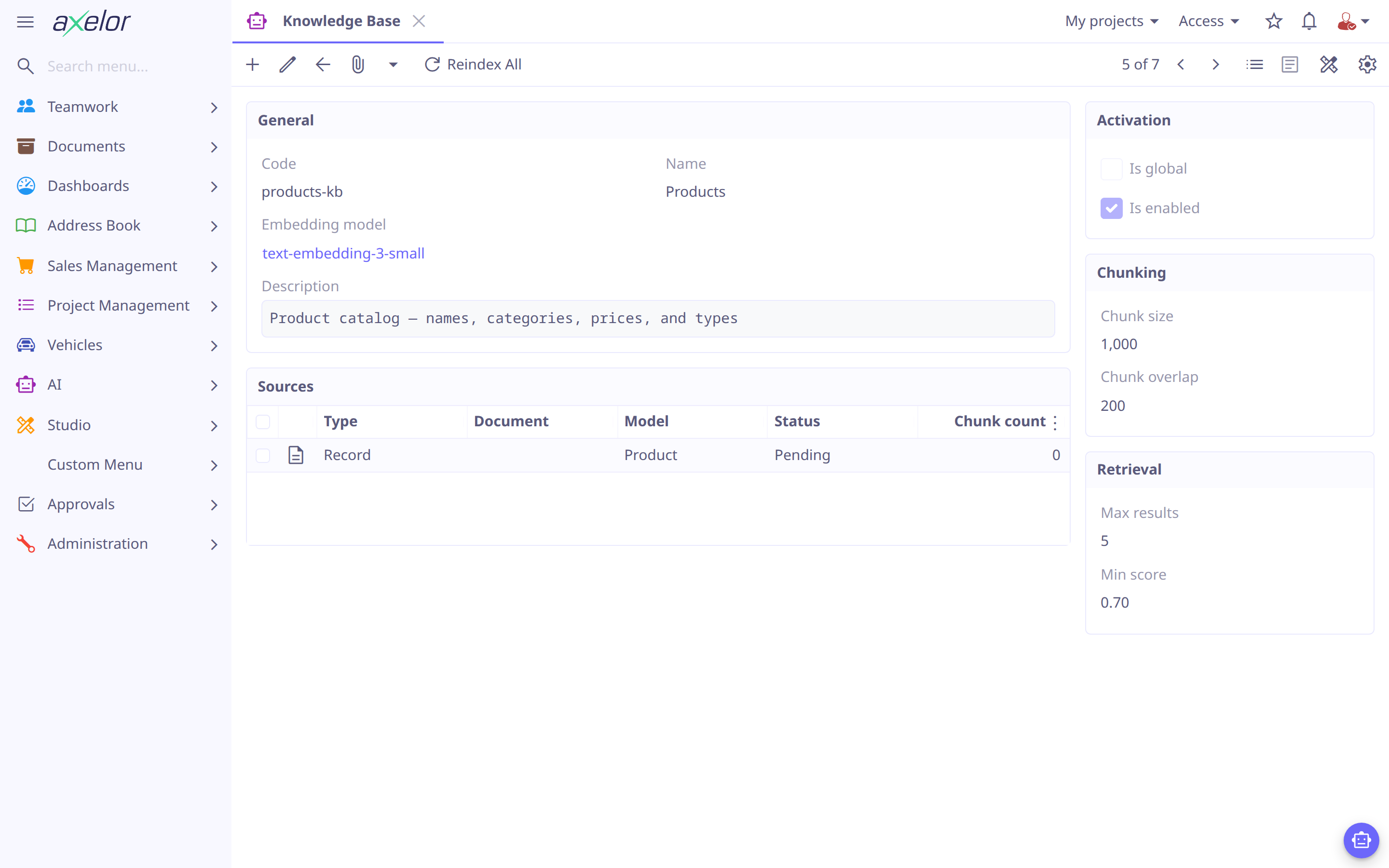
| Field | Meaning |
|---|---|
|
Identifier, display name and purpose. |
|
The |
|
How source text is split into indexable chunks. |
|
Retrieval limits — how many passages to return and the minimum similarity to include. |
|
Whether every agent may search it (otherwise only agents that list it). |
|
Activation. |
|
The |
Sources
Each AiKnowledgeSource contributes content to the base:
| Field | Meaning |
|---|---|
|
The kind of source: |
|
The uploaded file, for document sources. |
|
The raw text, for text sources. |
|
For record sources: the model to index, an optional filter, the fields the template reads, and a template that renders each record to text from those fields. |
|
Indexing state and diagnostics. |
Record sources let the assistant answer from live ERP data described in natural
language — each matching record is rendered through template and indexed. Indexing is
manual, never automatic: open the source and click Index, or click
Reindex All on the knowledge base’s form to index every source. Do it again when
a source’s content changes; the status reflects progress and any error.
A record source names the fields its template reads, comma-separated, a dotted path reading through a relation:
sources:
  - type: RECORD
    model: User
    fields: name, code, email, group.name
    template: "${name ?: code} (${code}) — email: ${email ?: 'N/A'}, group: ${group?.name ?: 'N/A'}"
The template renders from those fields alone: one that names another fails, and so
does the indexing, with the field named in errorMessage. A record’s text is then
shown only to someone who may read the record and every declared field, since the text
is those fields' values — the same rule as reading them with a tool (see
Per-user enforcement). A source that declares no fields
is not indexed, and one indexed before sources declared them is shown to no one until
it is re-indexed.
Retrieval
When an agent that can reach a knowledge base calls search_knowledge, the query is
embedded with the base’s embeddingModel, matched against the indexed chunks, and the
top passages (bounded by maxResults/minScore) are returned for the model to ground
its answer.
Give an agent knowledge
List a base’s code under an agent’s knowledgeBases, or mark the base isGlobal to
expose it to all agents. See Agents. Knowledge bases and sources
are managed under and can be seeded from
src/main/resources/ai/knowledge/.
Re-index a source after its content changes — the source’s status tracks
progress and surfaces any indexing error. A knowledge base seeded from
ai/knowledge/<code>/ is created with its sources not yet indexed: the folder name is
its code, and nothing is sent to the embedding model until you click an Index button.
|