Workflows
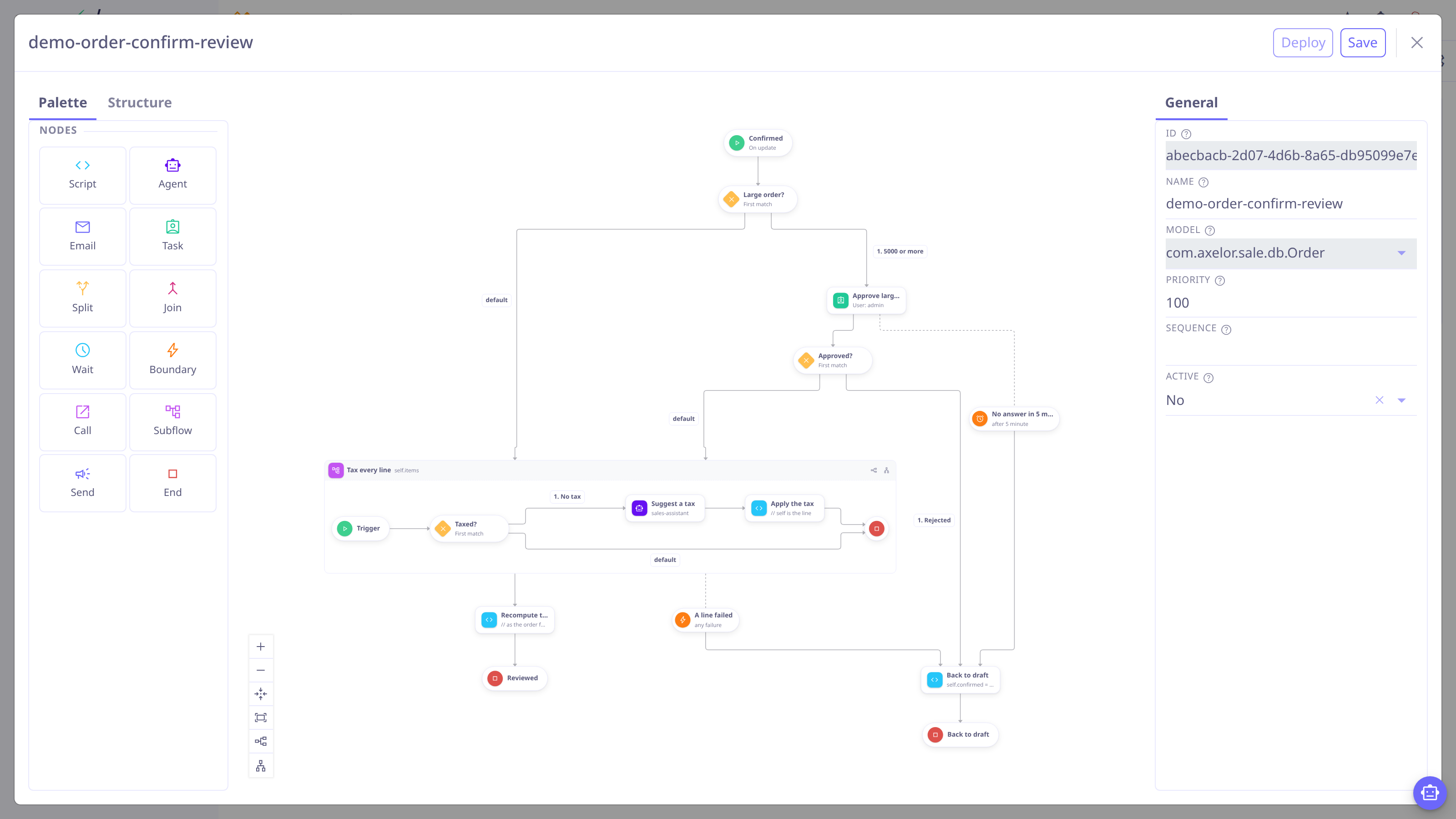
The Axelor Open Platform provides a lightweight, declarative workflow engine. A workflow is bound to one model, starts from a single trigger, and walks a small graph of nodes — covering both automation ("when a record reaches state X, do Y") and human approval flows. You can write workflows as XML in a module or build them visually in the Studio designer; both are the same format.
When to use a workflow
Use a workflow when the reaction to a record change is business logic that evolves: approval chains, notifications on state changes, follow-up record creation, timed escalations.
| Alternative | Difference |
|---|---|
Actions run when the user interacts with a view. Workflows react to the record changing, whatever saved it — a form, a web service, an import. |
|
Listeners are code, compiled into a module, and run inside the saving transaction. Workflows are data — declarative, overridable, editable in Studio — and run after the transaction commits. |
|
Scheduled jobs run on a calendar. A workflow |
Concepts
- Definition
-
The workflow itself — bound to one model, shipped as XML in a module or built in the Studio designer. See Definitions.
- Trigger
-
The single
<start>node says when the workflow fires: oncreate, onupdate(with watched fields and a condition), on atimer, on amessageanother workflow sends, or manually. - Nodes
-
From
start, the engine walksscript,agent,email,split,join,call,subflow,task,waitandsendnodes until anend, with aboundaryattached to any node it should be able to interrupt or catch. See Nodes; for how asplitand ajoinmake a choice, a fan-out or a race, see Branching and Joining. - Run
-
One execution of the graph. Failures are always recorded for auditing; set
workflow.tracetorunsornodesto record every run (including successful and skipped ones). A run that reaches ataskorwaitnode, or acallorsubflowwhose child parks — parks durably and resumes later: when a person decides, a timer elapses, a state condition becomes true, another workflow sends a message or broadcasts a signal it was waiting for, or the called workflow ends. See Execution.
A first workflow
A confirmation flow on sale orders: when an order becomes confirmed, large orders require a manager’s approval before the workflow records a confirmation note.
<?xml version="1.0" encoding="UTF-8"?>
<workflows xmlns="http://axelor.com/xml/ns/workflows">
<workflow name="order-confirmation" model="com.axelor.sale.db.Order">
<start id="start" on="update" watch="confirmed"
when="self.confirmed == true" repeat="episode" next="check"/> (1)
<split id="check" mode="one"> (2)
<flow id="f1" when="self.totalAmount > 10000" next="approve" title="Large order"/>
<flow id="f2" default="true" next="notify"/>
</split>
<task id="approve" title="Approve large order"
role="sales.manager" comment="reject" next="notify"/> (3)
<boundary id="giveUp" host="approve" on="timer"
delay="3" unit="day" next="notify"/>
<script id="notify" next="done"><![CDATA[
track(_t('Order confirmed'));
]]></script> (4)
<end id="done"/>
</workflow>
</workflows>| 1 | fires on updates of confirmed, only when it just became true, once per
"episode" (it can fire again only after the condition turns false and true
again) |
| 2 | routes on a JavaScript condition evaluated against the record |
| 3 | parks the run on a durable task for the sales.manager role; the
<boundary> gives up after 3 days rather than waiting forever. See
task and
boundary |
| 4 | posts a confirmation note on the order’s message stream |
To try it:
-
Drop the file in
src/main/resources/workflows/of your module. -
Restart (or update the module). The workflow loads, validates and activates.
-
Confirm an order and watch the run under Administration → Workflow Management → Workflow Runs.
| Prefer building visually? The same graph takes a few minutes in the Studio workflow designer — no module or restart needed. |
What you can rely on
-
Nothing runs inside your transaction. The save path only detects; the workflow dispatches after the transaction commits, in its own transaction. A workflow failure never rolls back the user’s save.
-
One expression language. All conditions and scripts are JavaScript. Trigger
whenconditions run in a restricted, sandboxed evaluator — in-memory field access only. -
Near-zero save-path cost. Saving a record whose model has no active workflow costs a set lookup. State is persisted only where durability is unavoidable.