Usage Policies & Logs
Usage policies bound how much the assistant may consume, and every model call is logged for auditing and reporting.
Usage policies
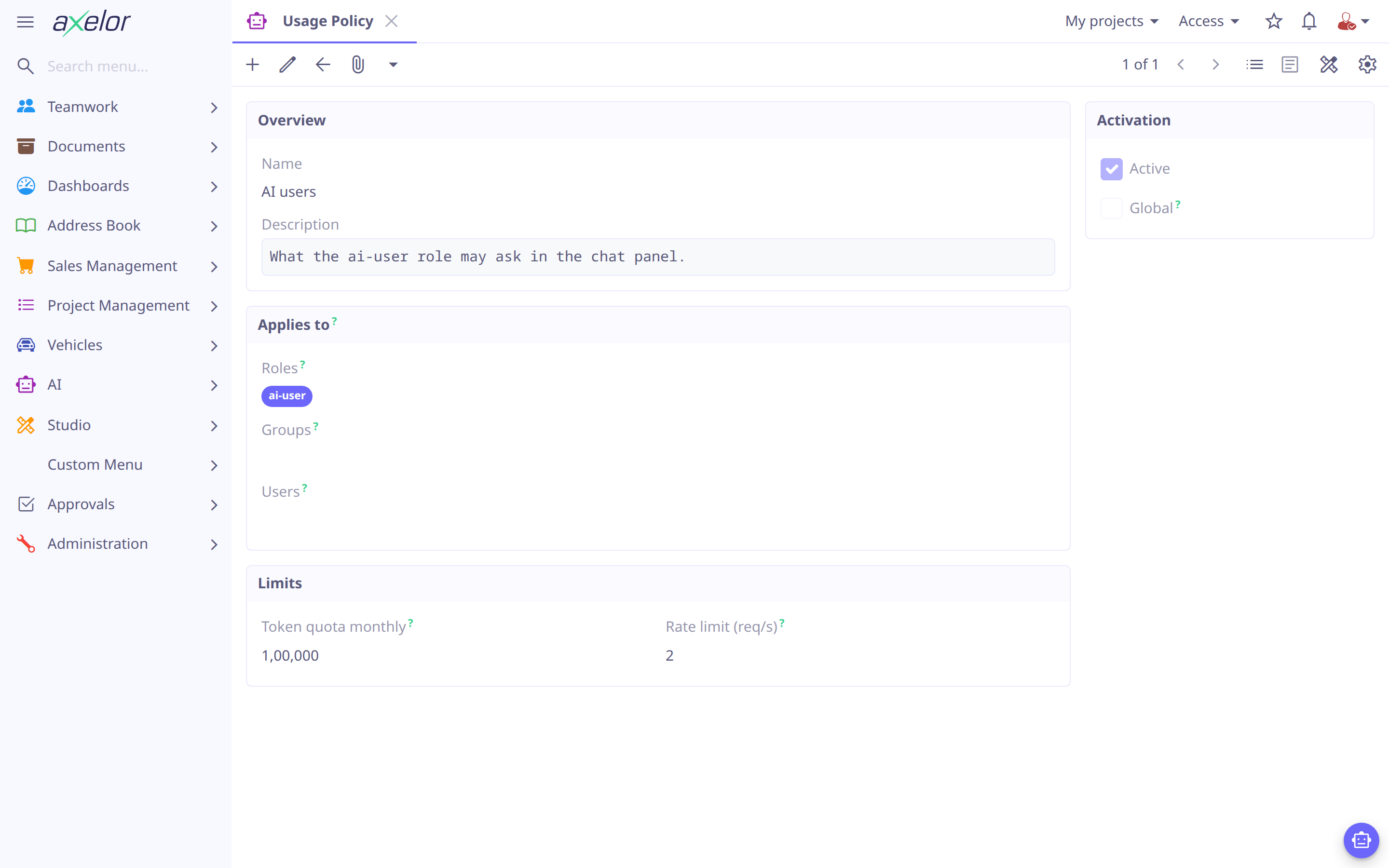
An AiUsagePolicy sets limits for everyone, or for the roles, groups and users it
lists:
| Field | Meaning |
|---|---|
|
Identify the policy and say why its limits exist. |
|
Off: the policy is kept but applies to nobody. |
|
Applies to every user; the lists below are cleared. |
|
Who the policy applies to — a user matches through any of their roles (directly or through their group), their group, or themselves. |
|
Maximum tokens per month asked in the chat panel. |
|
Requests/second cap. |
A policy that is neither global nor lists anyone is refused.
Policies are managed under . They complement the
per-model rateLimit (see Providers & Models) and the
per-agent access scoping (see Agents).
Resolution
-
Admins are exempt. The login
admin, theadminsgroup, or theai-adminrole gets unlimited quota and no rate limit, full stop — none of the rest of this section applies to them. -
No matching policy means no limit, not a denial. A user no active
AiUsagePolicyapplies to has unlimited quota and no rate limit. A global policy gives everyone a baseline instead. -
When more than one policy matches, the maximum wins — not the most specific and not the first found. A generous policy anywhere in the matching set overrides a stricter one sitting next to it, so a global policy is a floor, not a ceiling: a targeted policy can raise a user above it, never below. To exempt someone from a global limit, give them a policy with a higher one.
-
Only
CHATcalls count against the quota — what a person asks in the chat panel. Programmatic calls (API:AiService.ask, workflow agent steps) neither count nor are refused by it, so a workflow does not stop because the user it runs as spent their month chatting; they stay rate-limited. Background work billed to the same provider account — title generation, session notes, summarization — is logged under its ownsourcevalue (below) but never added to a user’s monthly total. -
The window is a calendar month, checked before the call. Usage resets on the 1st, and a request that would push a user over quota is refused before it reaches the provider — there is no after-the-fact reconciliation.
-
In a shared conversation, the asker’s policy governs — not the owner’s. Whoever ran the turn pays for it, is rate-limited by it, and is the one refused at quota, whether or not the conversation is theirs (see Chat & Context).
Usage log
Every model call is recorded as an AiUsageLog — a chat turn, each background task
(titles, the conversation subject, session notes, compaction summaries and recaps)
and each embedding call, indexing or a knowledge search:
| Field | Meaning |
|---|---|
|
When the call happened. |
|
Which model and provider were used. |
|
Token accounting, the same for every provider: |
|
Round-trip latency. |
|
What triggered the call — |
|
Outcome and any error: |
|
The fields whose values the conversation held when the call was made, which the call sent with its history, as |
Logs are browsable under , which totals the tokens of
the rows on the page, and of each group when the grid is grouped. A row opens to a form whose Data
sent panel lists the fields, and whose Error panel shows the errorMessage. A chat’s own calls,
including its titles and summaries, are on the Usage tab of its record.
Analytics
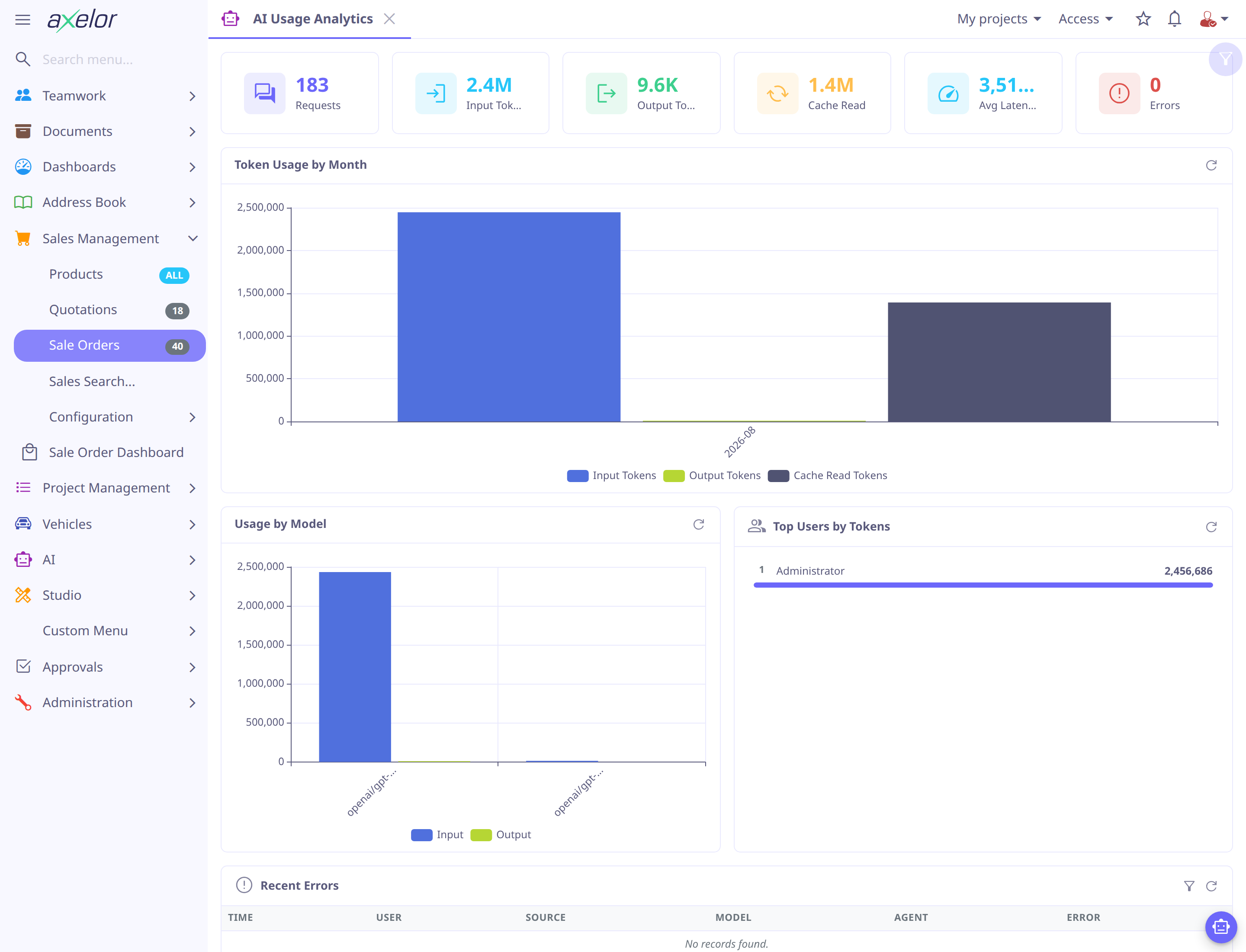
turns the log into a live dashboard over a selectable date range, for capacity planning and cost tracking:
-
KPI row — requests, input / output tokens, cache-read tokens, average latency and error count.
-
Token Usage by Month — input, output and cache-read tokens over time.
-
Usage by Model — input vs output tokens per model.
-
Top Users by Tokens — the heaviest consumers, ranked.
-
Recent Errors — the latest failed calls, for troubleshooting.