Actions
Actions are the behavior layer: what happens when a button is clicked, a value changes, a record is saved, or a menu entry opens. Studio designs the same action types documented in the Actions chapter.
Action kinds
The Actions tab’s New menu offers one entry per kind:
| Kind | Typical use | Reference |
|---|---|---|
Action View |
Open a grid/form/dashboard, optionally filtered |
|
Action Attrs |
Change view attributes live — hide, require, set a domain |
|
Action Record |
Set field values on a record (defaults, computed updates) |
|
Action Method |
Call a Java method of a module |
|
Action Script |
Run a script — the escape hatch when nothing declarative fits |
|
Action Validate |
Show errors, alerts and confirmations before proceeding |
|
Action Condition |
Check preconditions field by field |
Creating an action
-
Open the revision’s Actions tab, click New and pick the kind.
-
Give it a readable, prefixed name —
action-todo-validate. This name is what views and menus reference. -
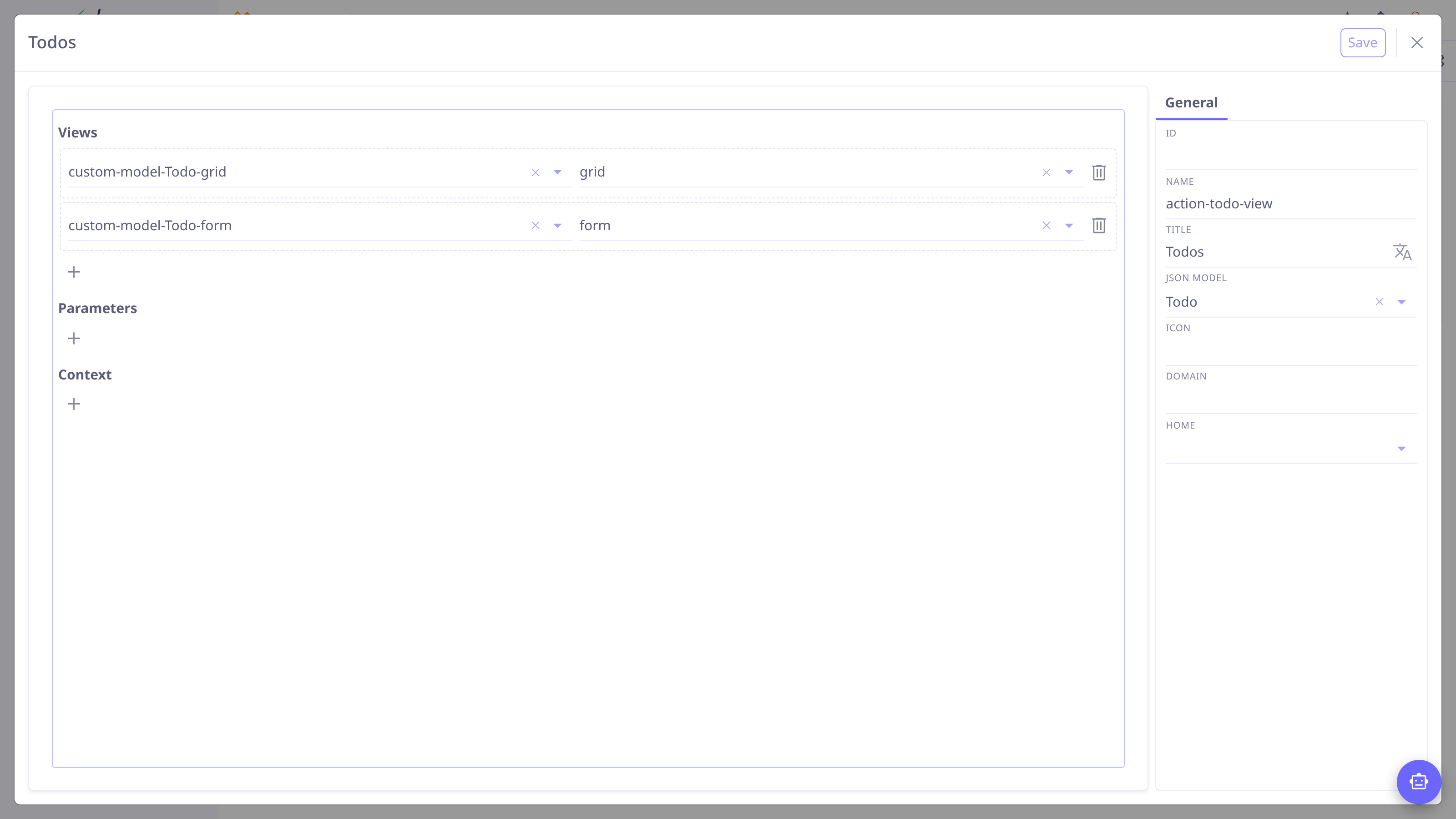
Fill in the kind’s editor: a validate action lists its validators (message plus firing condition), a view action its target views, parameters and context, a script action its code with syntax highlighting…
-
Save.
Two mechanics apply everywhere:
-
Chaining — an event handler may list several actions separated by commas, and the special name
savepersists the record mid-chain:action-validate,save,action-send-mail. -
Expressions — computed values use the
eval:prefix (eval: date.plusDays(7)); unprefixed values are taken literally. A condition on an action or item makes it fire selectively.
Wiring actions
Where an action runs from:
| An action view is also how a custom model gets its entry screen: point it at the model’s grid and form views, then attach it to a menu. |
Gotchas worth knowing
| Action Record works on JPA entities only. It targets real entity properties, so on a custom model the values silently don’t persist. For custom models: set defaults with the field’s default value in the model designer, and use an Action Script for computed values and transitions. |
-
Prefer Action Validate for user-facing checks —
errorblocks the operation,alertasks to continue — rather than failing inside scripts. -
Use Action Attrs with
onLoad/onChangeto adjust what the user sees (hide a panel, require a field, narrow a relation’s choices) without touching data.