Queries
A query resource is a saved, named data query — the
data layer behind dashboards and reports. Because dashlets reference queries by
name (sales.orders.by.status), you can tune the figures without touching any
view.
When to save a query
Save a query when its result feeds something — a data dashboard, a KPI, a report consumed over the query API — or when several places need the same figures. For a one-off filtered list, a grid view with a domain filter is enough.
Creating a query
-
Open the revision’s Queries tab and click New.
-
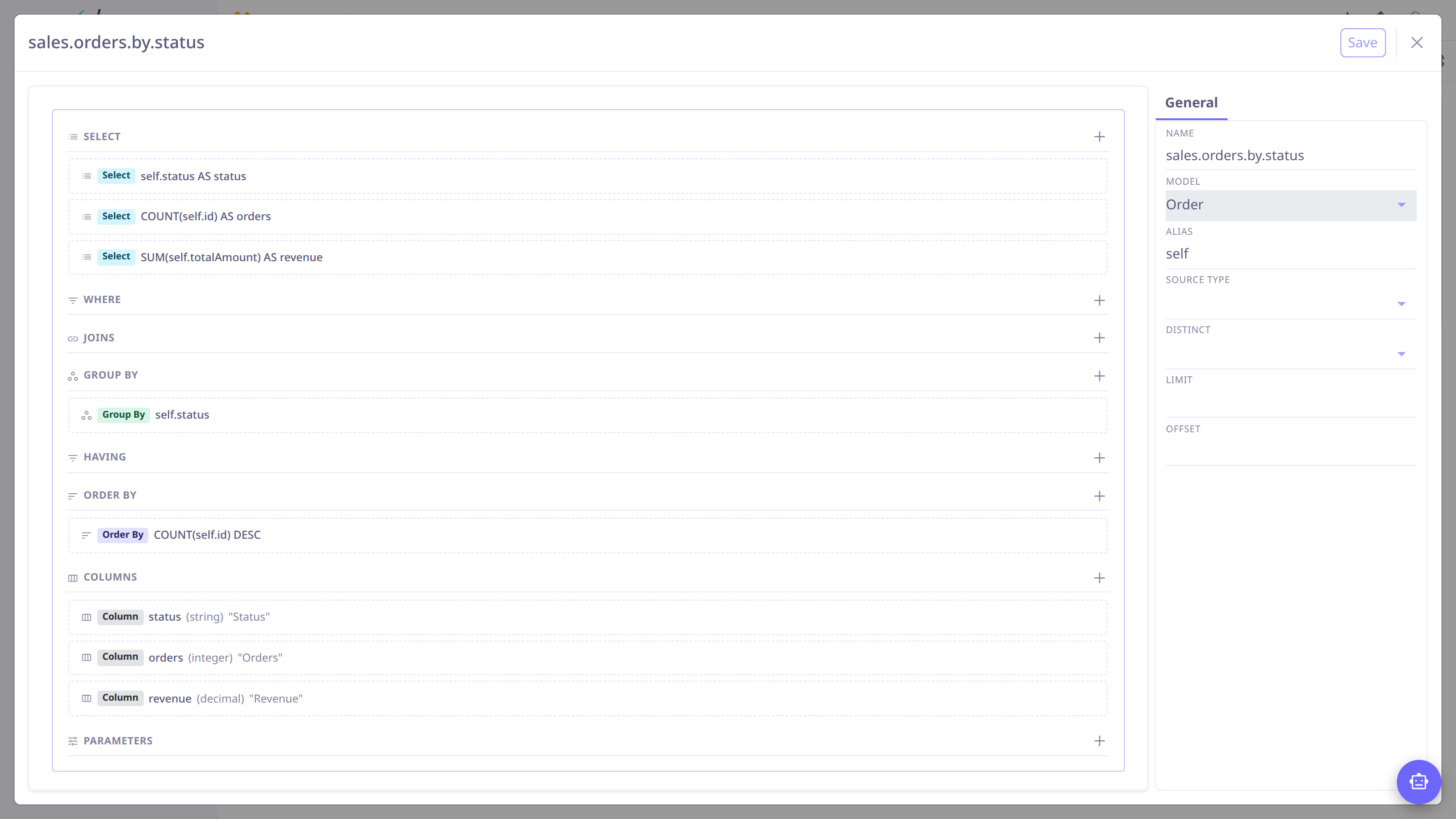
In the inspector, set the Name (dotted lowercase:
sales.orders.by.status) and pick the Model and its alias. -
Build the query section by section on the canvas:
- Select
-
The output columns — plain fields or aggregates (count, sum, avg, min, max, date parts), each with an alias.
- Where / Having
-
Filter conditions, combinable and nestable.
- Joins
-
Extra models when field paths aren’t enough.
- Group by / Order by
-
Grouping for aggregates and result ordering.
-
Add Columns metadata — a title and type per output column. Dashboards and tables render headings and formats from this, so filling it in is what makes results presentable.
-
Add Parameters for values users should control at runtime — typed (string, integer, long, decimal, boolean, date, time, datetime, or a many-to-one / many-to-many relation) with a label, required flag and default. Dashboards can expose them as shared filters.
-
Save.
Field paths traverse ManyToOne relations (self.customer.name). To aggregate
across a collection, query from the detail model instead — from OrderLine up to
its order — or add an explicit join.
|
Without a Select clause the query is a filter and returns records; with one it aggregates and returns computed rows. The full DSL — operators, functions, joins, subqueries — is documented in Data queries.
Consuming queries
-
Data dashboards bind dashlets to queries by name — Analytics.
-
The query REST API executes saved queries with parameters, for external consumers — Data queries.
-
The AI assistant can build and test a query against live data before saving it.