Build Jobs & Repositories
Most Studio resources go live the moment a revision is activated. Two things go further: build jobs compile what can’t be live (JPA entities, WAR packaging), and repositories push a project’s sources to git.
When a build is needed
Activation deploys views, custom models, actions, menus, selections, queries and workflows instantly — no build. You need a build only when the project
Following a build
-
Click Build on the revision. A job is submitted.
-
Open Studio → Build Jobs to follow it — each job shows its status, a progress bar and the current stage.
-
Open a job to read its live output. A running job can be cancelled from its form.
-
On success, the produced WAR is attached to the job as a downloadable artifact.
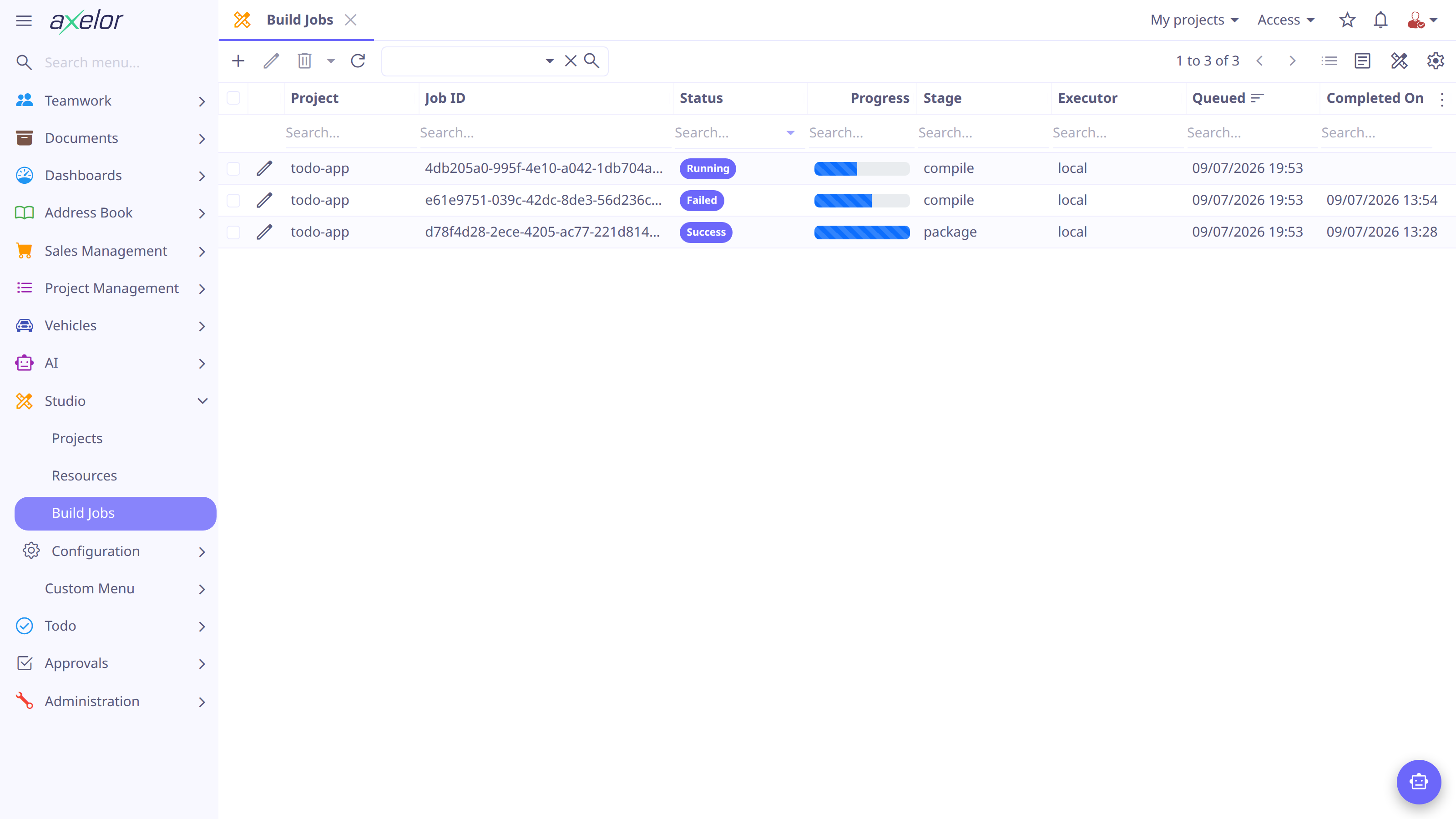
The statuses: Pending (queued), Running, Success, Failed, Cancelled. On failure, the output and error message tell you why — typically a compilation error in an entity definition.
| If the project already has a build pending or running, clicking Build returns that job instead of queuing a second one. Jobs keep their output and artifacts, so the build history stays inspectable. |
Connecting a project to git
-
Open Studio → Configuration → Repositories and click New.
-
Set the repository Path (URI), the auth token (and user), and the committer name and email.
-
Click Test Connection… to validate the credentials.
-
On the project form, pick the repository under Settings.
Syncing
Click Sync on the revision: the revision is exported as source files, committed,
and pushed to a dev-<version> branch of the repository (e.g. dev-1.0.0).
Sync is one-way — Studio stays the source of truth; the repository is the reviewable, diffable history of what each revision contains.
Configuration
Build and export behavior is tuned in axelor-config.properties (defaults
shown):
# local build executor: gradle arguments and timeout in minutes
studio.build.local.args = -x test
studio.build.local.timeout = 30

# where exported apps are written
studio.export.dir = {user.dir}/data/studio/apps

# path to the webapp sources used to assemble the application WAR;
# required for the Build (WAR export) button
studio.export.source.webapp =
The Studio feature itself is enabled with features.studio = true — see
Projects & Resources.