Escalation Event
Introduction to BPMN Escalation Events
In the Business Process Model and Notation (BPMN) standard, an escalation event represents a business escalation as opposed to an error. Escalation events are used to signal that an escalation should occur within a process, typically to indicate that attention is needed from a higher level of authority or that a different part of the process should be activated. Unlike errors, escalations are expected situations that are part of the normal business process flow.
Types of Escalation Events
Escalation events can be used in different contexts within a BPMN process:
-
Escalation Start Event: Initiates a process instance when a specific escalation is received. This is typically used in event subprocesses.
-
Escalation Intermediate Throwing Event: Sends an escalation and continues the process flow.
-
Escalation Intermediate Catching Event: Pauses the process flow until a specific escalation is received.
-
Escalation Boundary Event: Attached to an activity, it can interrupt or non-interrupt the activity when a specific escalation is received.
-
Escalation End Event: Ends the current process path and sends a specific escalation.


Configuration for Escalation Events
To configure an escalation event, you need to specify the escalation in the general tab of the properties panel:
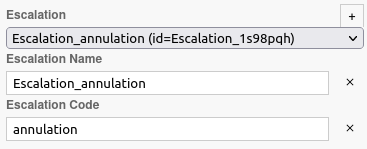
Creating an Escalation
To create an escalation:
-
Click on the + icon to automatically generate an escalation.
-
An Escalation Name will be automatically generated, but it is recommended to change it to make it more understandable.
-
You can search for existing escalations in the BPM model or from other BPM models.
Escalation Code
Each escalation has a code that is used to match throwing and catching escalation events. When an escalation is thrown, it is caught by all catching escalation events that have the same escalation code.
Axelor Studio Configuration
In Axelor Studio, the escalation event properties panel provides the following fields:
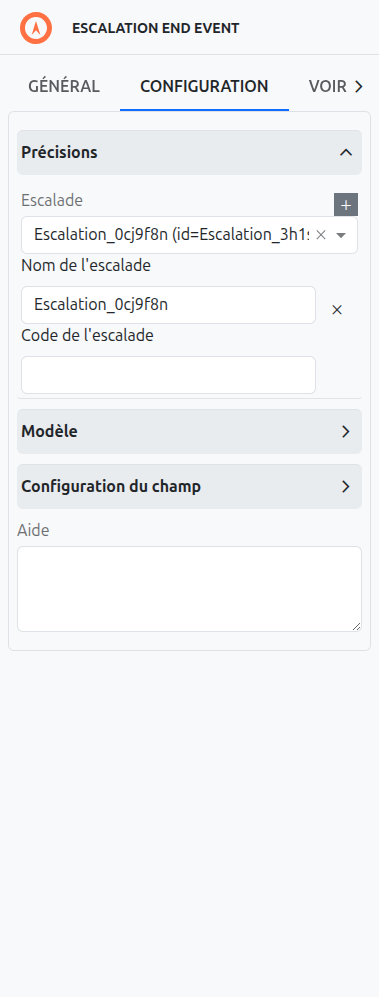
| Field | Description |
|---|---|
Escalation (1) |
Dropdown to select an existing escalation or create a new one (click +). Similar to signal events. |
Escalation name (2) |
The display name of the escalation. |
Escalation code (3) |
The technical code used to match throw and catch events. |
Escalation code variable (4) |
A process variable name that will receive the escalation code at runtime. This is useful for dynamic escalation handling. |
|
The Escalation code variable field (4) is only available for catching escalation events: Start Events (in event subprocesses) and Boundary Events. It is not shown for throwing events (Intermediate Throwing Events and End Events). |
|
Use the Escalation code variable to capture the actual escalation code in a process variable. This is useful when your catching event needs to handle different escalation codes dynamically — for example, routing to different handlers based on the escalation severity level. |
Use Cases for Escalation Events
Escalation events are commonly used for:
-
Business Escalations: Signaling that a business situation requires attention from a higher level of authority.
-
Process Coordination: Coordinating activities between different parts of a process or between different processes.
-
Exception Handling: Handling exceptional situations that are part of the normal business process flow.
-
Parallel Processing: Triggering parallel activities when a specific business situation occurs.
Differences Between Escalation and Error Events
While both escalation and error events are used to handle exceptional situations, they serve different purposes:
-
Escalation Events: Used for business escalations that are part of the normal process flow. They are expected situations that require attention from a different part of the process or a higher level of authority.
-
Error Events: Used for technical or business errors that are not part of the normal process flow. They represent unexpected situations that require error handling.
Listeners
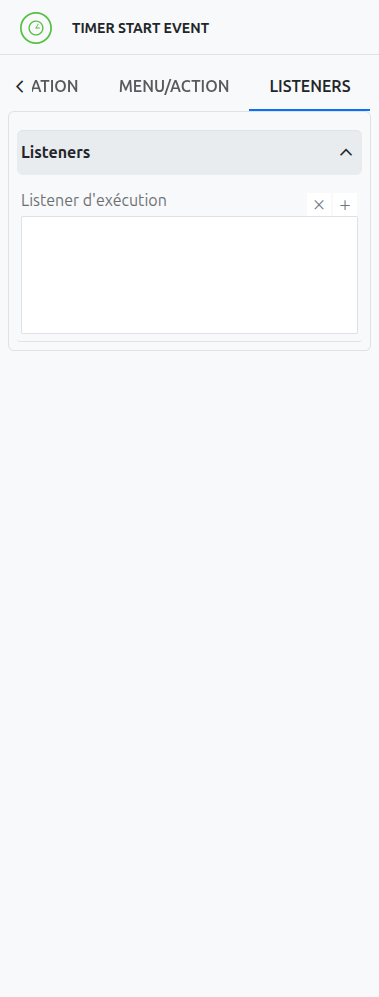
It is possible in a BPM model, regardless of the configurable element, to define listeners via the appropriate tab.
Execution Listener
An execution listener is created by clicking the plus + button in the list of concerned listeners in the tab.
It applies its Groovy script at the activation or the completion (depending on the user’s choice) of the event. The script can be written with or without the script builder.