Signal Event
Introduction to BPMN Signal Events
In the Business Process Model and Notation (BPMN) standard, a signal event represents a communication mechanism that broadcasts information across processes. Unlike messages, which are directed at specific recipients, signals are broadcast to all processes that are configured to receive them. Signal events are useful for coordinating activities across multiple processes or within different parts of the same process.
Types of Signal Events
Signal events can be used in different contexts within a BPMN process:
-
Signal Start Event: Initiates a process instance when a specific signal is received.
-
Signal Intermediate Catching Event: Pauses the process flow until a specific signal is received.
-
Signal Intermediate Throwing Event: Sends a signal and continues the process flow.
-
Signal Boundary Event: Attached to an activity, it can interrupt or non-interrupt the activity when a specific signal is received.
-
Signal End Event: Sends a signal and ends the process.


Configuration for Signal Events
To configure a signal event, you need to specify the signal in the general tab of the properties panel:
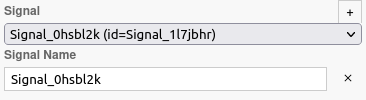
Creating a Signal
To create a signal, you must first define the signal in the general tab of the properties panel:
-
Click on the + icon to automatically generate a signal.
-
A Signal Name will be automatically generated, but it is recommended to change it to make it more understandable.
-
You can search for existing signals in the BPM model or from other BPM models.
Cross-Model Signal Import (Axelor Studio)
A key Axelor-specific feature is the ability to import signals from other BPM models. This allows you to coordinate processes across separate BPM definitions.
To import a signal from another BPM model:
-
Click the Signal dropdown in the properties panel
-
In the signal selection dialog, choose a BPM model from the model list (1)
-
Select the signal defined in that model (2)
-
The imported signal is automatically referenced with a cross-model link
When a signal is imported from another model, Axelor Studio stores the source model reference using the camunda:modelRefCode attribute on the signal element. This attribute contains the code of the source WkfModel, enabling the BPM engine to resolve cross-model signal references at runtime.
|
Use cross-model signals to implement event-driven architectures where independent processes react to business events from other processes. For example, a "Purchase Order Approved" signal thrown from a procurement process can trigger inventory reservation in a warehouse management process. |
| When using cross-model signals, ensure that the source BPM model is deployed before the consuming model. If the source model is not deployed, the signal will not be received. |
Use Cases for Signal Events
Signal events are commonly used for:
-
Process Coordination: Coordinating activities across multiple processes.
-
Broadcast Notifications: Notifying multiple processes about a significant event.
-
Exception Handling: Broadcasting exception information to multiple processes.
-
Status Updates: Notifying all interested processes about a status change.
Differences Between Signal and Message Events
While both signal and message events are used for communication, they serve different purposes:
-
Signal Events: Broadcast information to all processes that are configured to receive the signal. They are useful for one-to-many communication.
-
Message Events: Direct information to a specific recipient. They are useful for one-to-one communication.
Variables Tab (Throwing Events)
Signal Intermediate Throwing Events and Signal End Events include a Variables tab in the properties panel. This tab allows you to define variable mappings that are passed along with the signal when it is thrown.
The variable mappings specify which process variables should be included in the signal payload. Receiving processes can then access these variables when the signal is caught.
| The Variables tab is only available on throwing signal events (Intermediate Throw and End Event), not on catching signal events (Start, Intermediate Catch, Boundary). |
Listeners
It is possible in a BPM model, regardless of the configurable element, to define listeners via the appropriate tab.
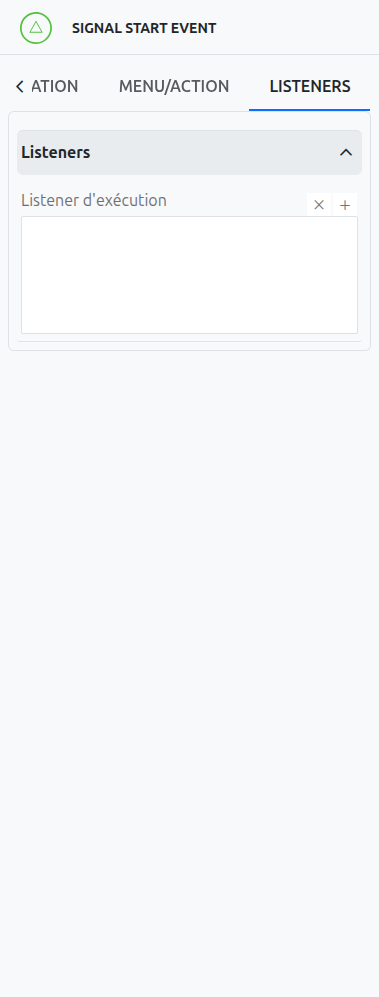
Execution Listener
An execution listener is created by clicking the plus + button in the list of concerned listeners in the tab.
It applies its Groovy script at the activation or the completion (depending on the user’s choice) of the event. The script can be written with or without the script builder.