Receive Tasks
Introduction BPMN
The receive task is represented in the BPMN standard by this rectangular shape containing a pictogram of an envelope with an arrow pointing inward.
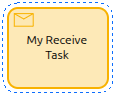
It is used to wait for a message from an external participant (relative to the process). Once the message is received, the task is completed and the process continues.
General Configuration
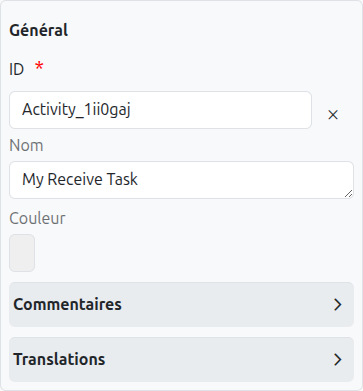
A receive task has several configuration tabs, allowing its behavior to be defined. Here we focus on the first one - General.
Common Configuration
The common configurations for all nodes are as follows:
-
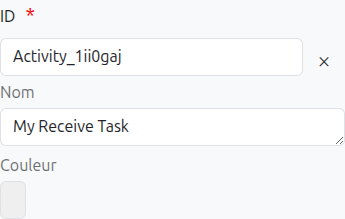
Id (1): Unique ID auto-generated by the system when the node is inserted, it can be manually modified by direct input or by clicking on the cross (2).
| It is strongly discouraged to change the ID of a process element after the first deployment to avoid generating migration errors. |
| If translations are available for the task name, it is read-only (4). |
-
Color (5): Allows defining the color of the task, it is used to differentiate tasks on the diagram.
Message Configuration
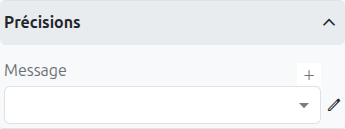
A receive task is used to wait for a message from an external participant. The message can be configured as follows:
-
Message (1): Specifies the message to be received. You can select an existing message or create a new one.
-
Message Name (2): The name of the message to be received.
-
Asynchronous (3): If checked, the task will be executed asynchronously.
-
Exclusive (4): If checked, the task will be executed exclusively.
Axelor Studio Implementation
In Axelor Studio, the receive task reuses the same message event definition properties panel as message events. This means the message configuration interface is identical to what you would see on a Message Intermediate Catching Event.
The receive task waits for a message to be correlated to the process instance. The correlation is managed by the Camunda engine using the message name and any defined correlation keys.
|
For detailed information about message configuration (creating messages, setting correlation keys, and defining message payloads), refer to the Message Event documentation. |
Translations
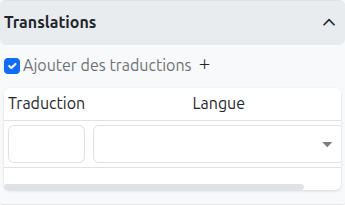
It is possible in BPM to indicate translations directly in the properties for the name of the nodes:
-
Translations (1): Allows adding translations for the name of the node. Translations are added by clicking on the + button.
-
List of translations (2): List of translations added for the node. They can be deleted by clicking on the cross on the right.
-
Language (3): Language of the translation.
View Attributes
The receive task includes a View Attributes tab, which allows you to define how the associated model’s form view behaves when the process is at this node. This is the same functionality as documented for user tasks.
View attributes allow you to control field visibility, read-only state, required state, and other properties of form fields based on the current BPM workflow state. For detailed configuration instructions, refer to the User Task View Attributes documentation.
| The View Attributes tab is also available on EndEvent, IntermediateCatchEvent, CallActivity, and SubProcess elements. |
Menu/Actions
The receive task includes a Menu/Actions tab, which allows you to associate actions, email notifications, and menu entries with this node. This is the same functionality as documented for user tasks.
For detailed configuration of actions (TeamTask creation), email notifications, and menu entries, refer to the User Task Menu/Actions documentation.
| The Menu/Actions tab is also available on StartEvent, EndEvent, IntermediateCatchEvent, CallActivity, SubProcess, AdHocSubProcess, Transaction, Group, and Association elements. |
Listeners
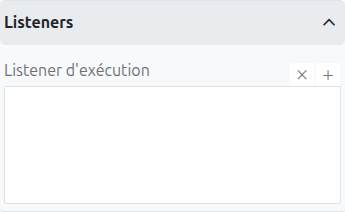
It is possible in a BPM model, regardless of the configurable element, to define listeners via the appropriate tab.
Execution Listener
An execution listener is created by clicking the plus + button in the list of concerned listeners in the tab.
It applies its Groovy script at the activation or the completion (depending on the user’s choice) of the task. The script can be written with or without the script builder.