Cancel Event
Introduction to BPMN Cancel Events
In the Business Process Model and Notation (BPMN) standard, a cancel event represents a mechanism to cancel a transaction subprocess. Cancel events are specifically designed to work with transaction subprocesses and provide a way to handle the cancellation of a transaction in a controlled manner.
Types of Cancel Events
Cancel events can be used in two specific contexts within a BPMN process:
-
Cancel End Event: Used within a transaction subprocess to signal that the transaction should be canceled. When reached, it sends a signal that will be caught by a cancel boundary event attached to the transaction subprocess.
-
Cancel Boundary Event: Attached to a transaction subprocess, it catches the cancel signal sent by a cancel end event within the subprocess and provides a path for handling the cancellation.


Configuration for Cancel Events
Cancel events have specific restrictions and configurations:
Cancel End Event
-
Can only be placed within a transaction subprocess.
-
When reached, it sends a cancel signal that will be caught by a cancel boundary event attached to the transaction subprocess.
-
No specific configuration is required for a cancel end event.
Cancel Boundary Event
-
Can only be attached to a transaction subprocess.
-
Catches the cancel signal sent by a cancel end event within the transaction subprocess.
-
Provides a path for handling the cancellation of the transaction.
-
No specific configuration is required for a cancel boundary event.
| There can only be one cancel boundary event per transaction subprocess. |
Axelor Studio Implementation
In Axelor Studio, cancel events do not have a dedicated properties panel beyond the standard common configuration (Id, Name, Color, Translations). The cancel behavior is entirely determined by the BPMN standard: the cancel end event triggers the cancel boundary event on the enclosing transaction subprocess.
|
Cancel events can only be used within transaction subprocesses. A transaction subprocess is a special type of embedded subprocess that supports transactional behavior with compensation and cancellation handling. In Axelor Studio, create a transaction subprocess first, then add cancel events inside it. |
To use cancel events in Axelor Studio:
-
Create a Transaction Subprocess on your process diagram
-
Inside the transaction subprocess, add a Cancel End Event on the path that should trigger cancellation
-
Attach a Cancel Boundary Event to the transaction subprocess
-
Connect the cancel boundary event to the compensation/cleanup activities that should execute when cancellation occurs
Use Cases for Cancel Events
Cancel events are commonly used for:
-
Transaction Cancellation: Providing a controlled way to cancel a transaction and handle the cancellation.
-
Rollback Handling: Defining specific actions to be taken when a transaction is canceled.
-
Exception Paths: Creating alternative paths for handling transaction cancellations.
-
Cleanup Activities: Performing cleanup activities when a transaction is canceled.
Differences Between Cancel and Other Events
Cancel events are specifically designed for transaction subprocesses and have the following differences from other events:
-
Cancel vs. Error Events: Error events can be used in any context, while cancel events are specific to transaction subprocesses. Error events are used to handle errors, while cancel events are used to handle transaction cancellations.
-
Cancel vs. Terminate Events: Terminate events end the entire process instance, while cancel events only cancel the transaction subprocess they are associated with.
-
Cancel vs. Compensation Events: Compensation events are used to undo or reverse the effects of successfully completed activities, while cancel events are used to cancel a transaction before it is completed.
Listeners
It is possible in a BPM model, regardless of the configurable element, to define listeners via the appropriate tab.
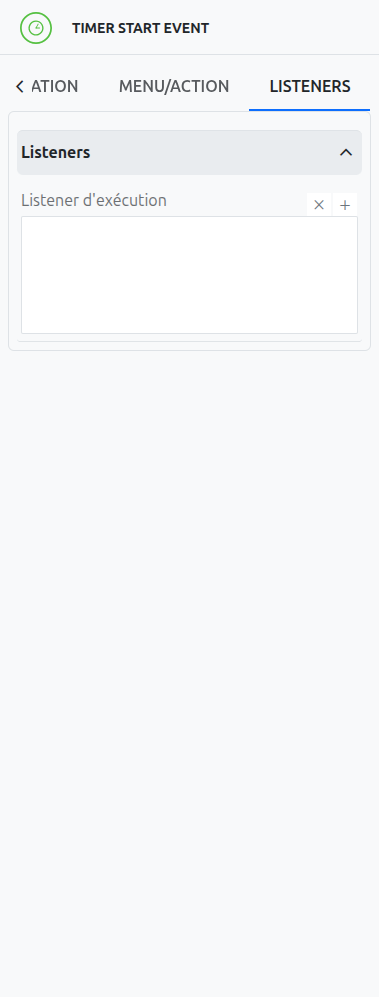
Execution Listener
An execution listener is created by clicking the plus + button in the list of concerned listeners in the tab.
It applies its Groovy script at the activation or the completion (depending on the user’s choice) of the event. The script can be written with or without the script builder.