CRON Builder
Introduction
The CRON Builder (also called Timer Builder) is a visual tool for creating time-based expressions used in scheduled jobs and BPM timer events. It supports three expression formats: ISO 8601 durations, ISO 8601 repeating intervals, and CRON expressions.
The CRON Builder is accessible from the Job management menu as a standalone tool, and is also embedded in BPM timer event properties.
Standalone Mode
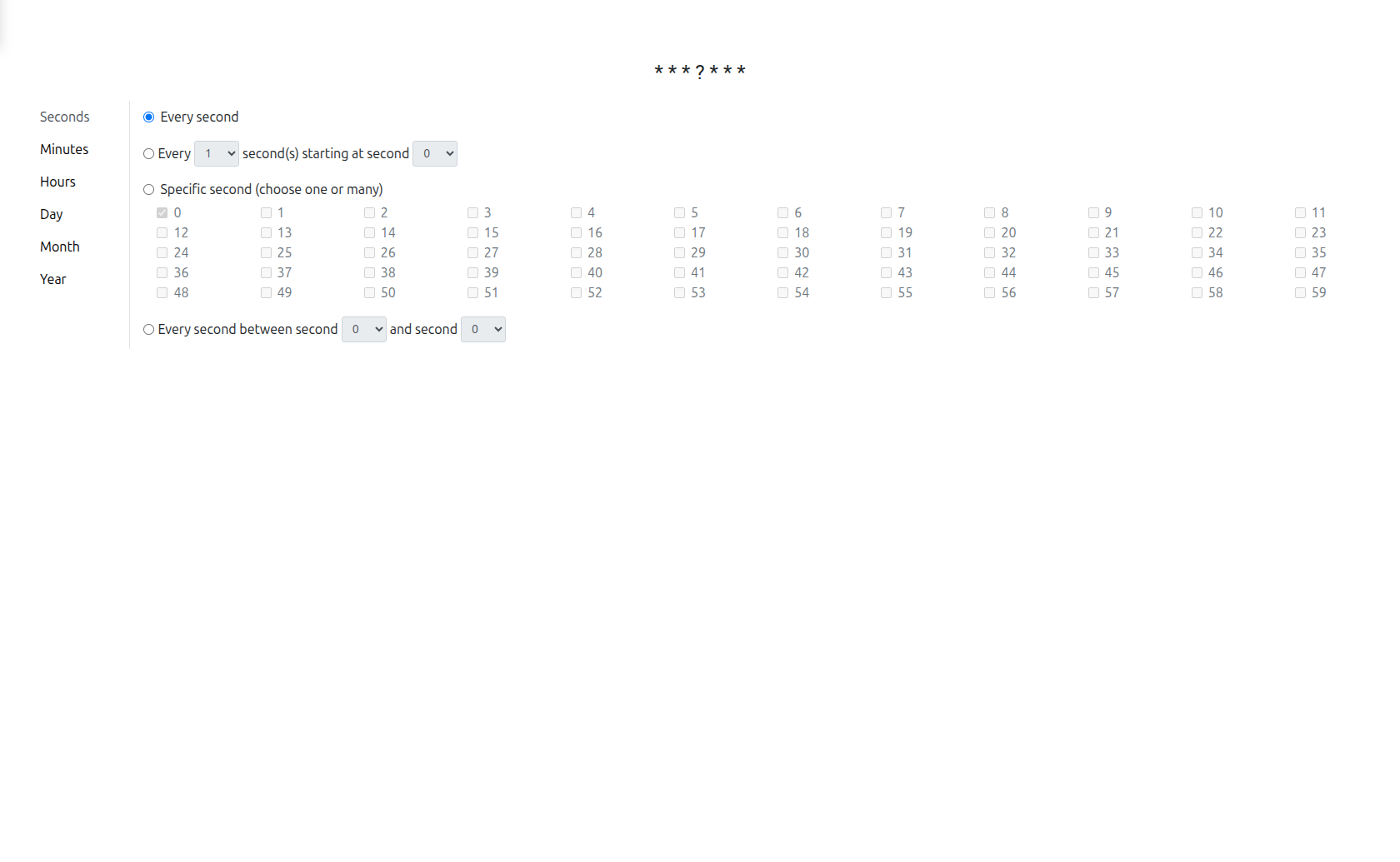
In standalone mode, the CRON Builder opens as a full-page HTML view where you can design and test time expressions.
Expression Types
The CRON Builder supports three expression types, presented as tabs:
ISO 8601 Duration
Creates a duration expression in ISO 8601 format (e.g., PT1H30M for 1 hour and 30 minutes).
The tile-based interface allows you to configure:
| Component | Description |
|---|---|
Years |
Number of years |
Months |
Number of months |
Days |
Number of days |
Hours |
Number of hours |
Minutes |
Number of minutes |
Seconds |
Number of seconds |
Click on each tile to increment its value. The generated ISO 8601 expression is displayed at the bottom.
ISO 8601 Duration Fields
| Field | Designator | Input Type |
|---|---|---|
Years |
|
Integer |
Months |
|
Integer |
Weeks |
|
Integer |
Days |
|
Integer |
Hours |
|
Decimal (2 places) |
Minutes |
|
Decimal (2 places) |
Seconds |
|
Decimal (2 places) |
Each tile supports:
-
Increment/decrement buttons
-
Mouse wheel scrolling
-
Long-press auto-repeat (500ms initial delay, then 75ms interval)
The generated expression follows the ISO8601 duration format:
P[nY][nM][nW][nD]T[nH][nM][nS]Examples:
-
PT1H30M— 1 hour and 30 minutes -
P2DT6H— 2 days and 6 hours -
P1Y3M— 1 year and 3 months
ISO 8601 with Repeat
Extends the ISO 8601 duration with a repeat count, creating expressions like R3/PT1H (repeat 3 times, every 1 hour).
This mode adds a Repeat parameter to the duration configuration, allowing you to define how many times the timer should trigger at the specified interval.
When the tab includes repeat support (timer definition types iso and timeCycle):
-
Repeat count — Number of times to repeat the duration. Use
-1for infinite repetition. TheRprefix is added to the expression. -
Start datetime — ISO8601 datetime after which the first cycle starts.
Full format with repeat:
R[n]/[startDateTime]/P[duration]Examples:
-
R3/PT1H— Repeat 3 times, every hour -
R/2024-01-15T09:00:00/P1D— Repeat infinitely, every day starting January 15, 2024 at 9:00 AM -
R-1/PT30M— Repeat infinitely, every 30 minutes
CRON Expression
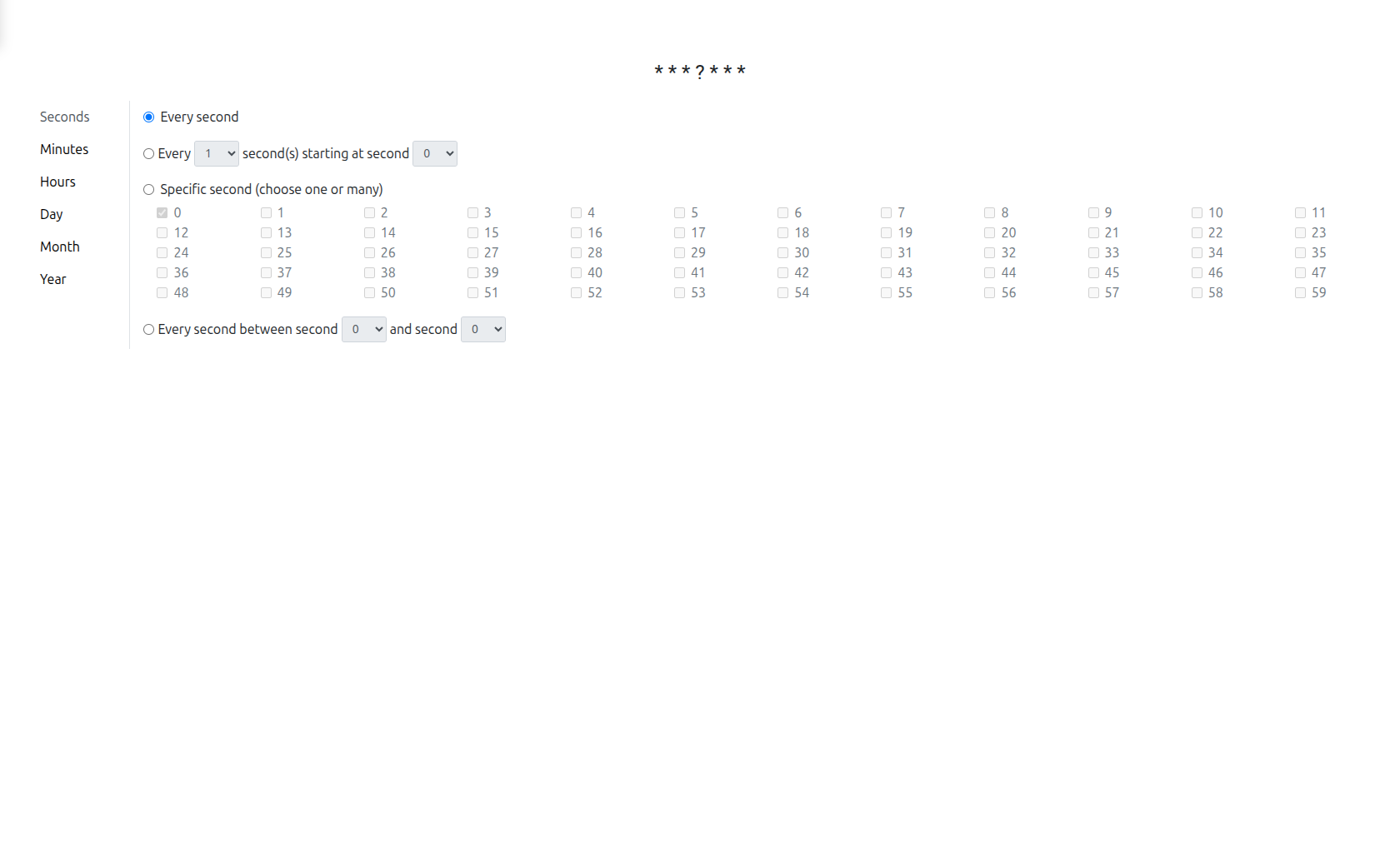
Creates a CRON expression using a visual builder powered by the @sbzen/re-cron library. This provides a user-friendly interface for configuring:
-
Seconds: Specific seconds, interval, or range
-
Minutes: Specific minutes, interval, or range
-
Hours: Specific hours, interval, or range
-
Day: Day of month or day of week patterns
-
Month: Specific months or interval
-
Year: Specific year or range
| The Timer Builder uses the 7-field Quartz CRON format, which includes Seconds and Year fields. This differs from the standard Unix CRON format (5 fields). |
CRON Fields
| Position | Field | Range |
|---|---|---|
1 |
Seconds |
0-59 |
2 |
Minutes |
0-59 |
3 |
Hours |
0-23 |
4 |
Day of Month |
1-31 |
5 |
Month |
1-12 |
6 |
Day of Week |
1-7 (SUN-SAT) |
7 |
Year |
1970-2099 |
The initial expression is * * * ? * * * (every second).
CRON Visual Editor
The visual editor provides per-field configuration tabs:
-
Every — Fire at every interval (e.g., every 5 minutes)
-
Specific — Fire at specific values (e.g., on Monday and Friday)
-
Between — Fire between a range (e.g., from 9 to 17)
-
Start at — Fire at a starting value with an interval
The editor supports advanced Quartz features:
-
Last day of month (
L) -
Last weekday of month (
LW) -
Nearest weekday (
W) -
Nth weekday of month (
#, e.g.,2#3= 3rd Monday) -
Aliases (e.g.,
MON,JAN)
CRON Examples
| Expression | Description |
|---|---|
|
Every Monday at noon |
|
Every 15 minutes |
|
Every hour from 8 AM to 5 PM, Monday to Friday |
|
First day of every month at midnight |
The generated CRON expression is validated in real-time using the cron-validate library.
| The editor provides a copy-to-clipboard button for the generated expression. |
|
Use CRON expressions for complex scheduling patterns (e.g., "every weekday at 8:00 AM" or "first Monday of each month at noon"). Use ISO 8601 durations for simple fixed intervals (e.g., "every 30 minutes"). |
BPM Integration
The CRON Builder is embedded in the BPM modeler’s properties panel for timer events. When configuring a timer event, the builder appears as a dialog.
The available tabs depend on the timer definition type:
| Timer Definition Type | Available Tabs |
|---|---|
Time Duration |
ISO 8601 Duration only |
ISO |
ISO 8601 with Repeat |
CRON |
CRON Expression only |
Time Cycle |
ISO 8601 with Repeat + CRON Expression |
The generated expression is stored in the timer event’s definition and used by the Camunda process engine to schedule timer triggers.
Expression Auto-Detection
When loading an existing expression, the Timer Builder automatically detects its format:
-
Try CRON validation (
cron-validate) — If valid, switch to CRON tab -
Try ISO8601 parsing (
iso8601-duration) — If parseable, switch to ISO8601 tab -
Otherwise — Show error (unknown format)
For timeCycle type, if the existing expression is a valid CRON, the second tab (CRON) is pre-selected.
Localization
The CRON visual editor supports localization. The user’s language is automatically detected from the /ws/app/info endpoint and applied to the CRON builder labels.
Technical Details
The CRON Builder is a React component located in react/timer-builder/src/.
Key dependencies:
-
@sbzen/re-cron— CRON expression visual builder -
iso8601-duration— ISO 8601 duration parsing and formatting -
cron-validate— CRON expression validation -
@axelor/ui— Axelor UI components
The component supports two modes:
-
Standalone: Rendered as an HTML view accessible from the menu
-
Dialog: Rendered as a modal dialog within the BPM timer event properties
Related Pages
-
Timer Events — BPM timer events that use CRON expressions