WS Builder
Introduction
The WS Builder is a visual editor for designing and testing web service workflows. It provides a diagram-based interface where you can create and connect WS Requests, Connectors, and Authenticators visually.
Access
Navigate to App > WS Studio to open the WS Builder.
The editor opens as a React application in a dedicated view.
Editor Layout
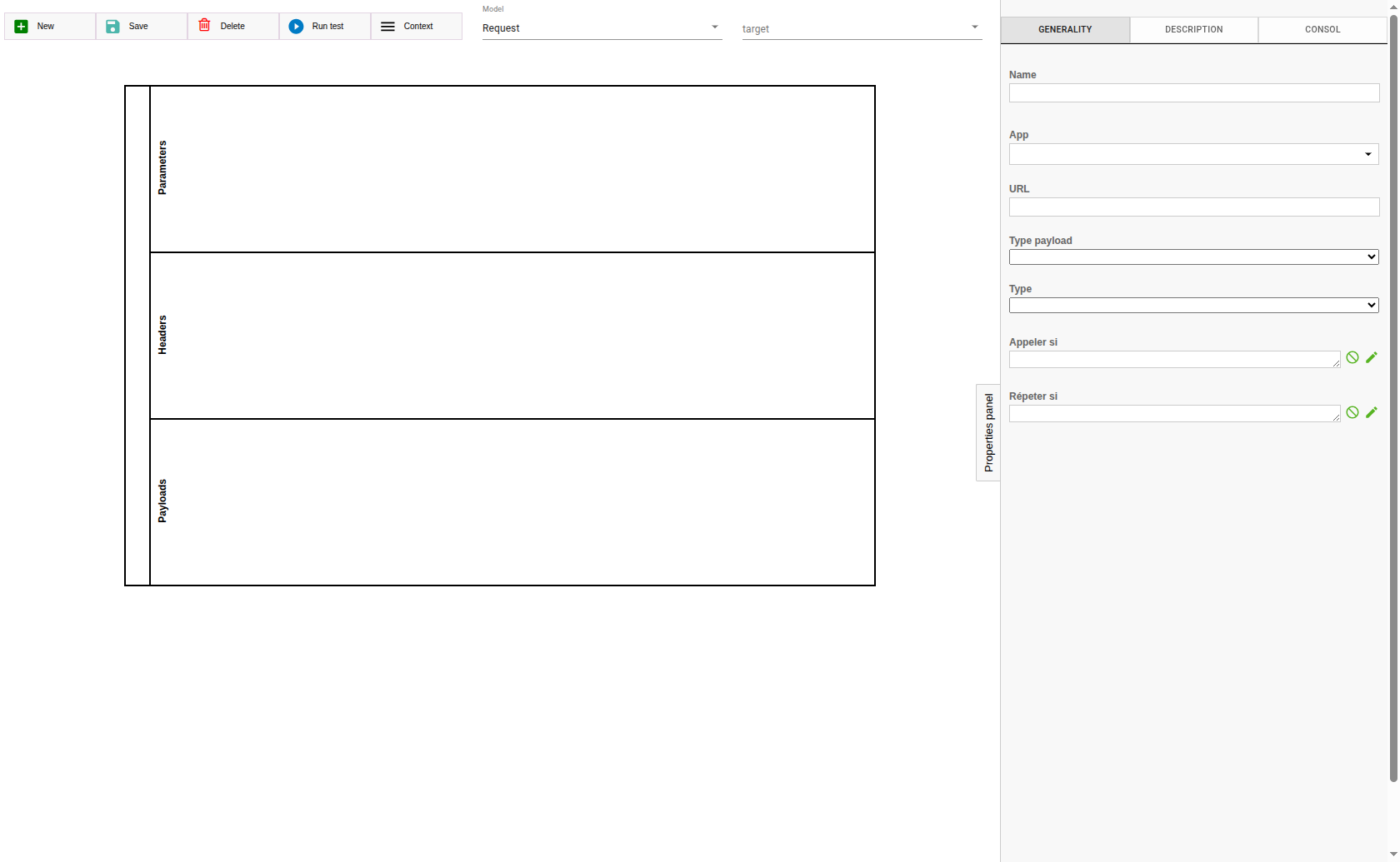
The WS Builder interface is divided into the following areas:
-
Toolbar (1): Left sidebar with action buttons (Save, Delete, Add, Test, Menu)
-
Canvas (2): Central diagram area where WS components are arranged as visual nodes
-
Properties Panel (3): Right-side drawer showing the configuration of the selected node
Toolbar Actions
The left sidebar provides the following actions:
| Button | Icon | Description |
|---|---|---|
Save |
Save |
Saves the current state of the selected component. |
Delete |
Delete |
Deletes the currently selected component. |
Add |
Add Box |
Creates a new component (request, authenticator, or connector) and adds it to the canvas. |
Test |
Play |
Opens the test dialog to execute a connector and view results. |
Menu |
Menu |
Provides additional navigation options. |
Node Types
The canvas supports three types of visual nodes:
Request Nodes
Represent WS Requests. When selected, the properties panel shows the request configuration with tabs for URL, headers, payload, and conditions.
Authenticator Nodes
Represent WS Authenticators. When selected, the properties panel shows authentication configuration with auth type, credentials, and request references.
Connector Nodes
Represent WS Connectors. When selected, the properties panel shows connector configuration with base URL, request list, context, and default authenticator.
Properties Panel
The properties panel on the right side changes based on the selected node type. It uses specialized sub-tools for configuring different aspects of a component.
Request Builder
Configure request parameters with a model-based editor. Select fields from data models to build request parameters visually.
Payload Builder
Build request payloads using a visual key-value pair editor. Supports:
-
Nested structures (hierarchical key-value pairs)
-
Model-based field selection
-
Field editor for complex value expressions
Header Builder
Configure HTTP headers with predefined selections for common header names and MIME types.
Expression Builder
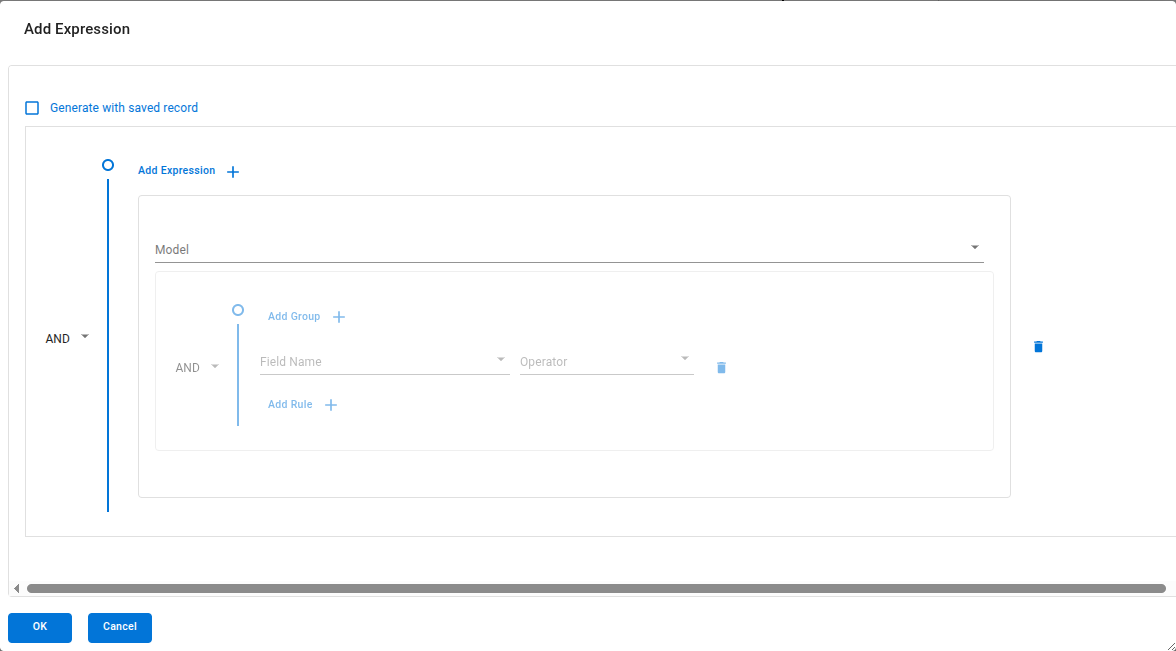
Build Groovy expressions with an interactive editor that provides:
-
Auto-complete for field references
-
Date/time pickers
-
Number inputs
-
Select dropdowns
Used for callIf, repeatIf, and other expression fields.
Context Builder
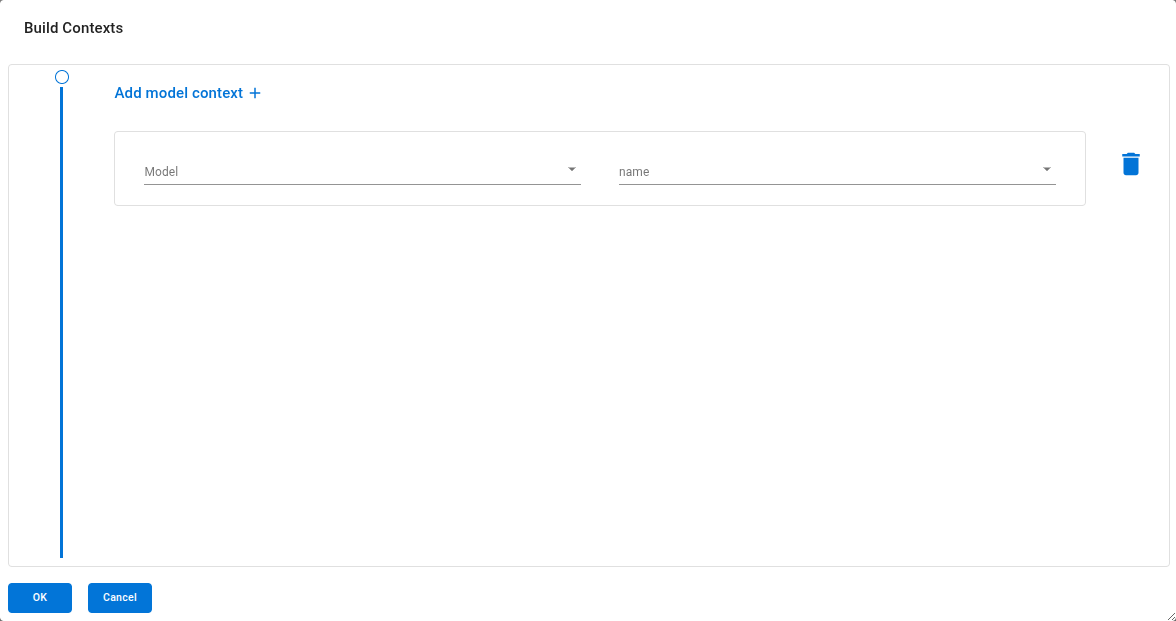
Define context mappings for connectors. Map model fields to context variables using a visual model-to-field selector with filter conditions.
Transformation Builder
Select and configure Transformations for data processing:
-
Select a Library from the available transformation libraries
-
Select an Operation (transformation) from the library
-
Configure parameter values for the transformation
Testing Connectors
The WS Builder provides a built-in testing feature:
-
Click the Test button (play icon) in the toolbar
-
Select the connector to test
-
Select the authenticator to use
-
Click Execute
-
The result is displayed in a JSON viewer
This allows you to test web service integrations directly from the visual editor without switching to the standard form views.
| Use the testing feature during development to validate each step of your connector workflow. |