WS Connectors
Introduction
A WS Connector orchestrates multiple WS Requests into a sequential workflow. It provides a base URL, a default authenticator, and a shared context that all requests can read from and write to.
Configuration
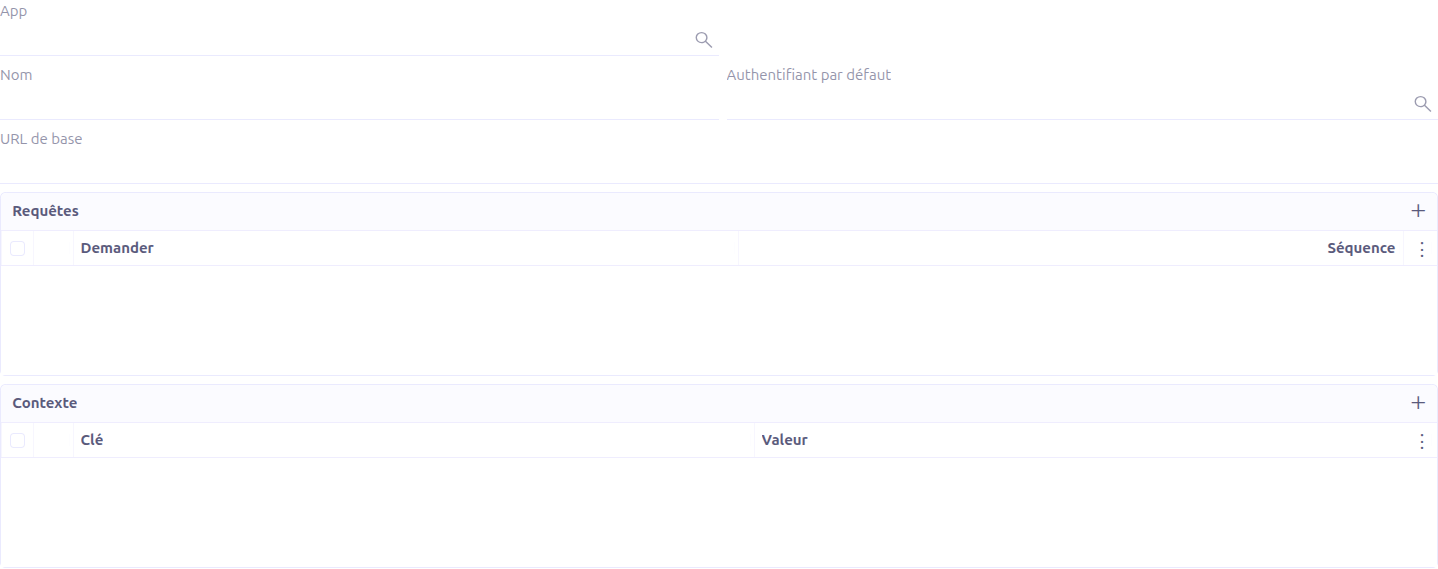
General Fields
| Field | Required | Description |
|---|---|---|
Name |
Yes |
A descriptive name for the connector. |
Studio App |
No |
Associates the connector with a Studio App for packaging. |
Default Authenticator |
No |
The WS Authenticator used for all requests in this connector. Authentication headers/cookies are injected automatically. |
Base URL |
No |
The base URL prepended to all request URLs. Supports Groovy template expressions. |
Request List
The Requests section defines the ordered list of requests to execute:

-
Request: Select an existing WS Request
-
Sequence: Defines the execution order. Requests are sorted by sequence number and executed sequentially.
Requests can be reordered using drag-and-drop (the list supports canMove).
Context
The Context section defines key-value pairs that form the shared execution context:

-
Key: The variable name
-
Value: The variable value
Context values are available to all requests via Groovy template expressions (${key}). Additionally, each request’s response is automatically stored in the context:
-
First request response:
_1 -
Second request response:
_2 -
And so on…
This allows later requests to reference earlier responses, enabling request chaining patterns like "authenticate, then fetch data, then process result".
Request Execution
When a connector is executed, the following process occurs:
-
Requests are sorted by sequence number
-
For each request (in order):
-
The
callIfcondition is evaluated; iffalse, the request is skipped -
The request URL is rendered with Groovy template expressions
-
Headers are built from the request configuration
-
For GET/DELETE: payload entries are added as query string parameters
-
For POST/PUT/PATCH: a body entity is created based on the payload type
-
Authentication headers/cookies are injected if an authenticator is active
-
The HTTP call is executed via JAX-RS client
-
The response is parsed based on media type (JSON, XML, or plain text)
-
The response is stored in the context as
_N(where N is the execution index) -
The
repeatIfcondition is evaluated; iftrue, the request is re-executed
-
Testing
The connector provides a testing wizard accessible from the form view:
The testing wizard requires:
-
Connector: Select the connector to test
-
Authenticator: Select the authenticator to use
Click Call to execute the connector. The result is displayed in the $result field, showing all context variables (keys starting with _, except internal keys like _beans).
| The Call button is disabled until both a connector and an authenticator are selected. |
Call Tracking
When Enable track web services is enabled in the Studio application configuration, each connector execution creates a log file attached to the connector record.
The log file contains the execution details (request/response data) for debugging and auditing purposes.
| When tracking is enabled, previous log files are removed before a new one is attached. |