Merge and Split
Introduction
The Merge and Split feature allows you to restructure BPM models by either combining multiple models into one (merge) or extracting participants from a single model into separate models (split). Both operations use a dedicated React application with visual BPMN previews.
Access
The merge and split editors are accessed from the BPM Models grid toolbar:
-
Navigate to Application Builder > BPM components > BPM models
-
Select one or more models in the grid
-
Open the Merge and split feature menu in the toolbar
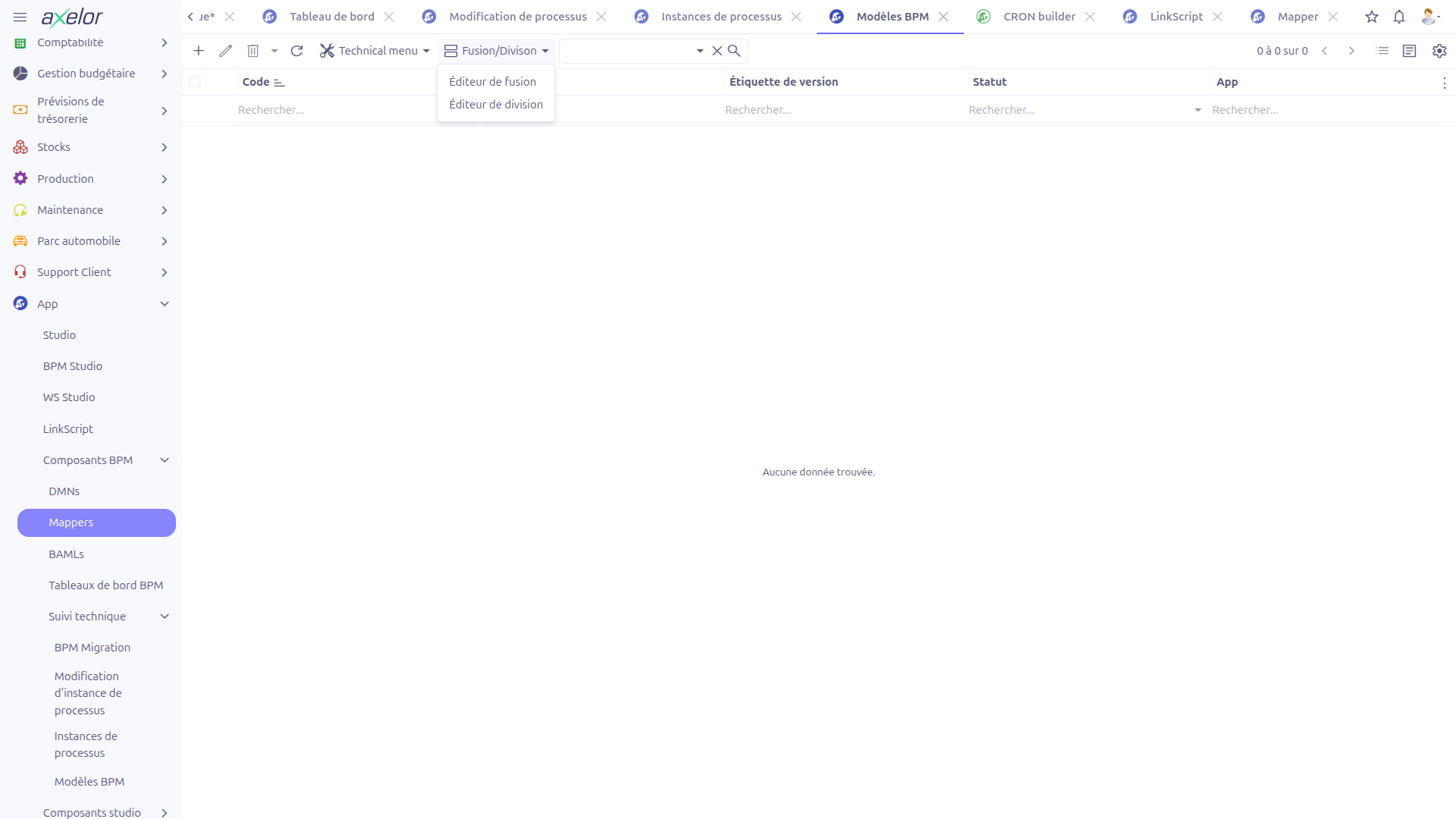
Two options are available:
-
Merging editor — Requires 2 or more models to be selected
-
Splitting editor — Requires exactly 1 model to be selected
| If the selection requirements are not met, a validation alert will be displayed (e.g., "Please select at least 2 models to merge"). |
Merging Editor
The merging editor allows you to combine multiple BPM models into a single model. Each source model’s participants (pools) are merged into one diagram.
Merge Workflow
-
The editor displays the list of selected models (1)
-
Select which participants (pools) to include from each model using the Participant Selector (2)
-
Configure merge options in the Configuration Box (3)
-
Preview the merged diagram in the Preview Panel (4). The preview uses bpmn-js to render the resulting BPMN diagram
-
Review the result and confirm the merge using the toolbar actions (5)
Merge Editor Components
| Component | Description |
|---|---|
Model List |
Displays all selected source models with their details |
Participant Selector |
Allows selecting which participants/pools from each model to include in the merged result |
Configuration Box |
Provides additional merge settings |
Preview Panel |
Visual BPMN diagram preview of the merged result |
Toolbar |
Actions to confirm, cancel, or adjust the merge operation |
|
Use the built-in Merge Guide (accessible from the editor) for step-by-step instructions on the merge process. |
Splitting Editor
The splitting editor allows you to extract participants (pools) from a single BPM model into separate, independent models.
Split Workflow
-
The editor displays the source model’s BPMN diagram
-
Select which participants (pools) to extract using the Participant Selector (1)
-
Review the split configuration in the Split Panel (2)
-
Preview the resulting separate diagrams in the Preview area (3)
-
Confirm the split using the toolbar actions (4)
Split Editor Components
| Component | Description |
|---|---|
Participant Selector |
Allows selecting which participants/pools to extract from the source model |
Split Panel |
Displays the split configuration and resulting model structure |
Preview |
Visual BPMN diagram previews of the resulting models |
Toolbar |
Actions to confirm, cancel, or adjust the split operation |
|
Use the built-in Split Guide (accessible from the editor) for step-by-step instructions on the split process. |
Technical Details
React Application
The merge and split editors are implemented as a dedicated React application (bpm-merge-split). The application uses a URL parameter isSplit to determine which mode to display:
-
isSplit=true— Opens the Split editor -
isSplit=false(or absent) — Opens the Merge editor
Both editors use the bpmn-js library for rendering BPMN diagram previews.
Backend Services
-
WkfModelController.openMergeEditor()— Validates the selection (>= 2 models) and opens the merge React app -
WkfModelController.openSplitEditor()— Validates the selection (exactly 1 model) and opens the split React app -
WkfModelMergerSplitterServiceImpl— Core service handling the BPMN XML manipulation for merge and split operations
Related Pages
-
BPM Overview — Complete BPM feature overview