Send Tasks
Introduction BPMN
The send task is represented in the BPMN standard by this rectangular shape containing a pictogram of an envelope.
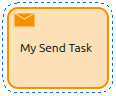
It is used to send a message to an external participant (relative to the process). Once the message is sent, the task is completed and the process continues.
General Configuration
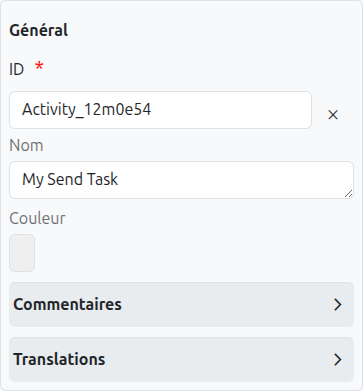
A send task has several configuration tabs, allowing its behavior to be defined. Here we focus on the first one - General.
Common Configuration
The common configurations for all nodes are as follows:
-
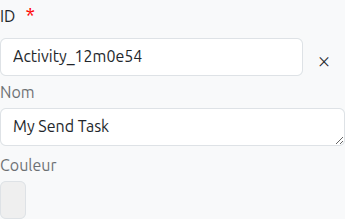
Id (1): Unique ID auto-generated by the system when the node is inserted, it can be manually modified by direct input or by clicking on the cross (2).
| It is strongly discouraged to change the ID of a process element after the first deployment to avoid generating migration errors. |
| If translations are available for the task name, it is read-only (4). |
-
Color (5): Allows defining the color of the task, it is used to differentiate tasks on the diagram.
Technical Configuration
A send task can be configured to send messages in different ways:
-
Implementation (1): Specifies how the send task is implemented. Options include:
-
Java Class: Specifies a Java class that implements the message sending
-
Expression: Uses an expression to define the message sending
-
Delegate Expression: References a delegate that implements the message sending
-
External: Calls an external service to send the message
-
-
Java Class (2): If "Java Class" implementation is selected, specify the fully qualified class name here.
-
Expression (3): If "Expression" implementation is selected, specify the expression here.
-
Delegate Expression (4): If "Delegate Expression" implementation is selected, specify the delegate expression here.
-
Topic (5): If "External" implementation is selected, specify the topic name here.
Message Configuration
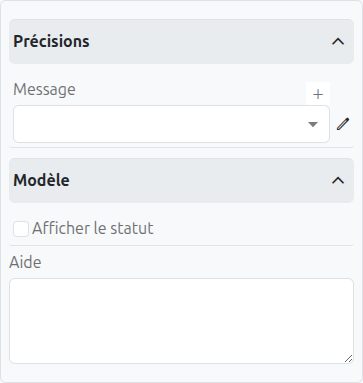
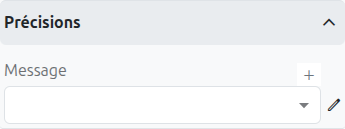
A send task is used to send a message to an external participant. The message can be configured as follows:
-
Message (1): Specifies the message to be sent. You can select an existing message or create a new one.
-
Message Name (2): The name of the message to be sent.
-
Message Payload (3): The payload of the message to be sent. This can be a variable or an expression.
Axelor Studio Implementation
In Axelor Studio, the send task reuses the same message event definition properties panel as message events. This means the message configuration interface is identical to what you would see on a Message Intermediate Throwing Event.
The send task sends a message that can be correlated to waiting receive tasks or message catch events in other process instances. The message is dispatched through the Camunda engine’s message correlation mechanism.
|
For detailed information about message configuration (creating messages, setting correlation keys, and defining message payloads), refer to the Message Event documentation. |
|
Use send tasks when you need to send a message as part of a sequence of activities. If the message sending is the final action in a process path, consider using a Message End Event instead. |
Translations
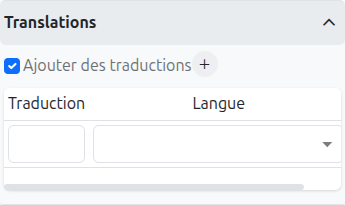
It is possible in BPM to indicate translations directly in the properties for the name of the nodes:
-
Translations (1): Allows adding translations for the name of the node. Translations are added by clicking on the + button.
-
List of translations (2): List of translations added for the node. They can be deleted by clicking on the cross on the right.
-
Language (3): Language of the translation.
Listeners
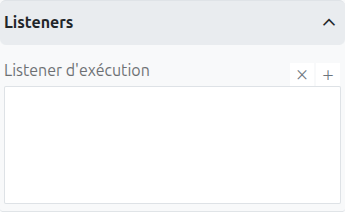
It is possible in a BPM model, regardless of the configurable element, to define listeners via the appropriate tab.
Execution Listener
An execution listener is created by clicking the plus + button in the list of concerned listeners in the tab.
It applies its Groovy script at the activation or the completion (depending on the user’s choice) of the task. The script can be written with or without the script builder.