Web Services
Introduction
The Web Services feature in Axelor Studio allows you to configure, orchestrate, and execute HTTP calls (REST/SOAP) directly from the platform. It provides a complete toolkit for integrating with external APIs, including visual editors, authentication management, and data transformation capabilities.
Key Concepts
The Web Services feature is built around four main components:
-
Request: Defines a single HTTP call — URL, method (GET/POST/PUT/PATCH/DELETE), headers, payload, and conditional execution logic. See WS Requests.
-
Connector: Orchestrates multiple requests into a sequential workflow. It provides a base URL, a default authenticator, and a shared context that requests can read from and write to. See WS Connectors.
-
Authenticator: Manages authentication for API calls. Supports Basic authentication (username/password or request-based) and OAuth2 flows (authorization code, token refresh). See WS Authenticators.
-
Transformation: Reusable Groovy templates that transform data between requests. Organized into libraries for easy reuse. See Transformations.
Navigation
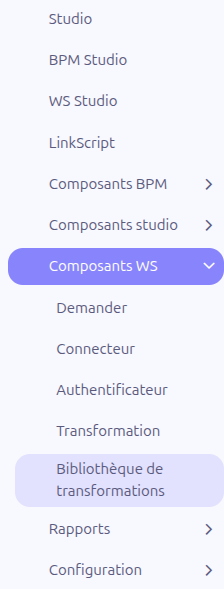
The Web Services feature is accessible from the main menu under App:
-
App > WS Studio: Opens the visual WS Builder editor (React application)
-
App > WS Component > Request: Opens the WS Request list view
-
App > WS Component > Connector: Opens the WS Connector list view
-
App > WS Component > Authenticator: Opens the WS Authenticator list view
-
App > WS Component > Transformation: Opens the Transformation list view
-
App > WS Component > Transformation library: Opens the Transformation Library list view
Architecture Overview
The Web Services feature offers two ways to work:
Standard Form Views
Each WS component (Request, Connector, Authenticator, Transformation) has its own grid and form views accessible via the WS Component menu. These are standard Axelor CRUD views.
Visual WS Builder
The WS Studio menu opens a React-based visual editor where you can design web service workflows using a diagram-based interface. Requests, authenticators, and connectors are represented as visual nodes on a canvas.
| Use the standard form views for detailed configuration and the WS Builder for visual workflow design and testing. |
Execution Flow
When a connector is executed:
-
The connector resolves the base URL and prepares the shared context (key-value pairs)
-
Authentication is performed if a default authenticator is configured
-
Requests are executed sequentially in order of their sequence number
-
Each request’s
callIfcondition is evaluated; if false, the request is skipped -
Each request’s
repeatIfcondition is evaluated for looping -
HTTP headers and payload are constructed from the request configuration
-
The HTTP call is made using the JAX-RS client
-
The response is stored in the context as
_1,_2, etc. (by execution order) -
Subsequent requests can reference previous responses via these context variables
-
If an OAuth2 authenticator receives a 401 response, the token is automatically refreshed and the request retried
Configuration
The Web Services feature has one global configuration option:
-
Enable track web services (
enableTrackWebServiceCall): When enabled in the Studio application configuration, each connector execution attaches a log file with the call details to the connector record. This is useful for debugging and auditing.
This setting is located in the Studio application configuration form.