Link Scripts
Introduction
Link Scripts are reusable Groovy script blocks that can be chained together through dependency and output arcs. They provide a way to build modular, composable business logic where each script receives input from its dependencies and passes results to its outputs.
Link Scripts are accessed from App > LinkScript.
Link Script List
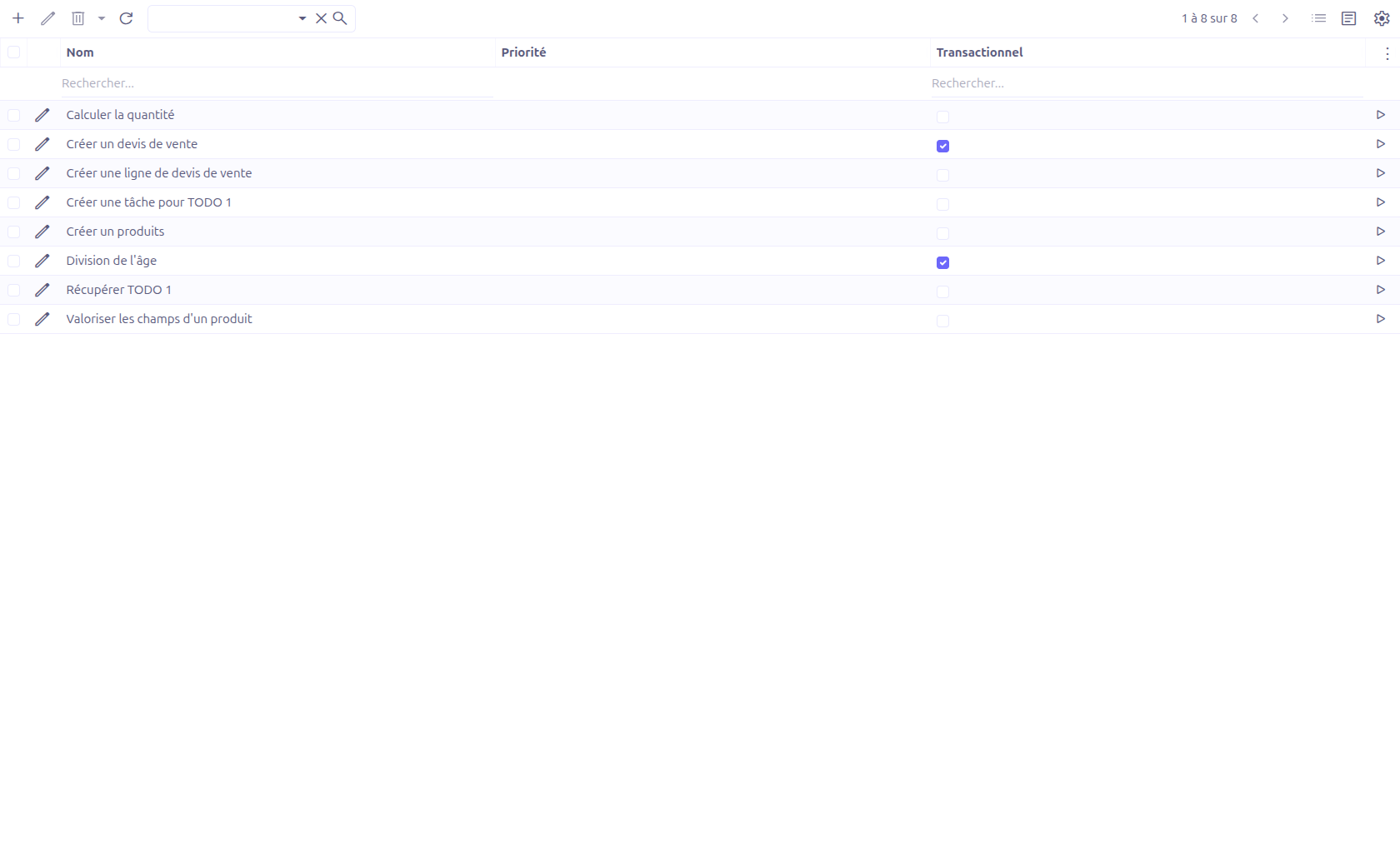
The grid view displays all Link Scripts with a Test button (play icon) for quick execution testing.
Creating a Link Script
Click New to create a Link Script.
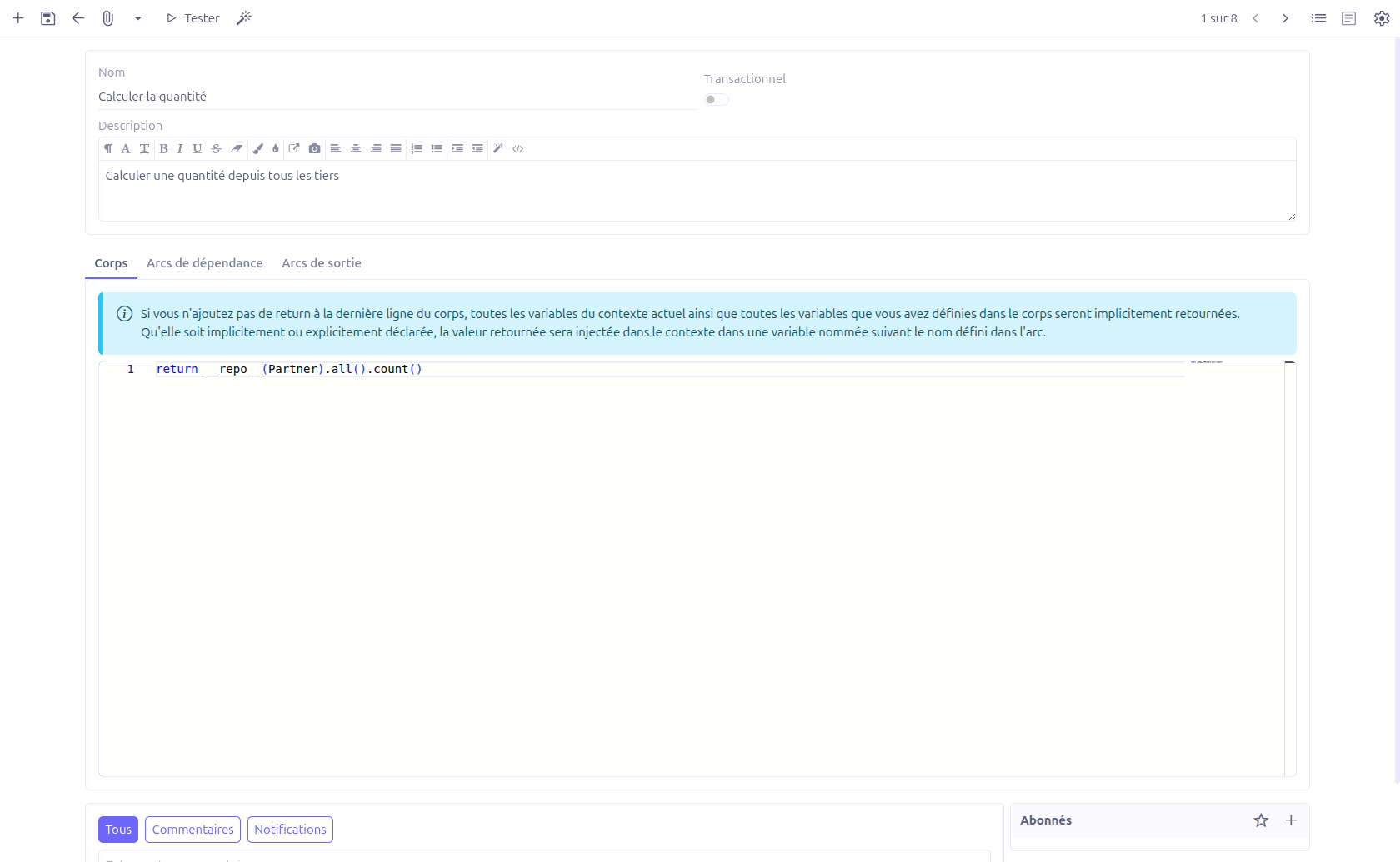
Basic Information
| Field | Required | Description |
|---|---|---|
Name (1) |
Yes |
Unique name for the Link Script. |
Transactional (2) |
No |
Boolean switch (default: false). When enabled, the script runs within a database transaction. If the script fails, all changes are rolled back. |
Description (3) |
No |
Description of the script’s purpose (HTML editor). |
Script Body
The Body tab contains the Groovy script code.
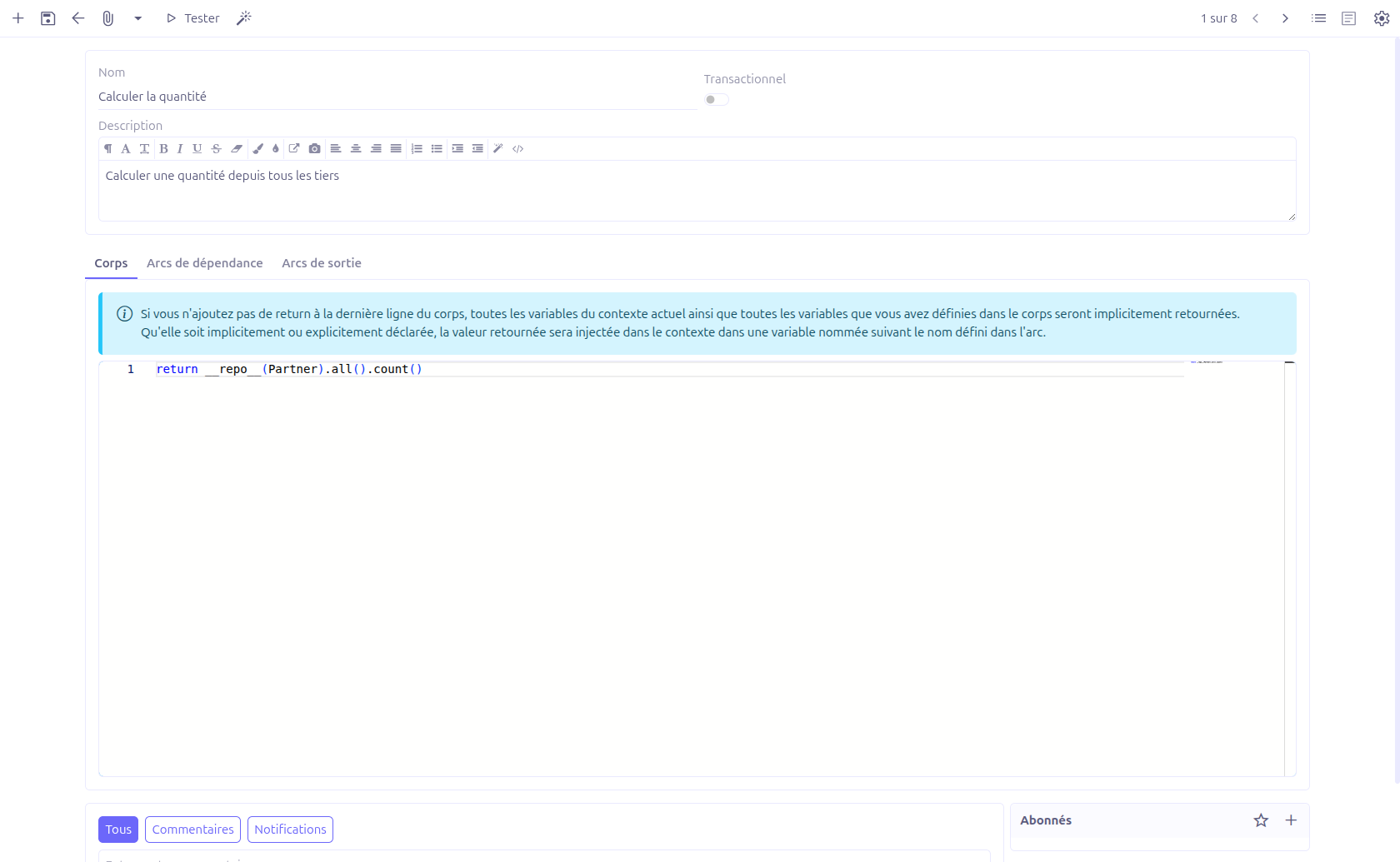
The body is edited using a CodeEditor widget with Java syntax highlighting (height: 500px).
|
Implicit return behavior: If the script does not contain an explicit |
Example script body:
def orders = __repo__(SaleOrder).all()
    .filter("self.statusSelect = ?1", 3)
    .fetch()

def totalAmount = orders.sum { it.exTaxTotal ?: 0 }
def orderCount = orders.size()

// These variables are implicitly returned
// and available to output arcs
Dependency Arcs
The Dependency Arcs tab defines inputs from other Link Scripts.

Each dependency arc specifies:
| Field | Required | Description |
|---|---|---|
Name |
No |
Variable name under which the dependency result is injected into this script’s context. Must follow camelCase naming: |
Condition script |
No |
A Groovy expression that determines whether this dependency is resolved. If the condition is false, the dependency is skipped. |
To LinkScript |
Yes |
Reference to the source Link Script that provides the dependency data. |
Testing Link Scripts
The Test button (play icon) in the toolbar opens a test dialog.
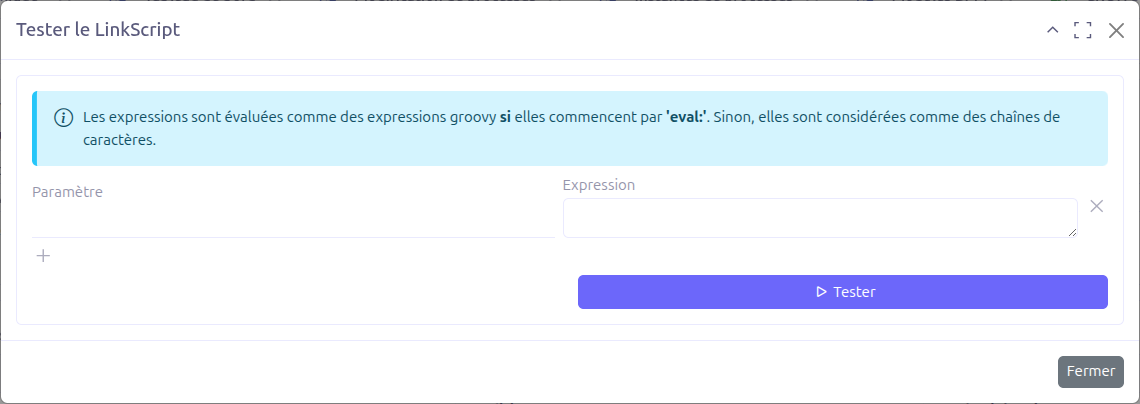
Test Bindings
The test dialog allows you to define input bindings — parameter/expression pairs that simulate dependency inputs:
| Field | Description |
|---|---|
Parameter |
The variable name to inject into the script context. |
Expression |
The value for the parameter. Can be a static string value or a Groovy expression. |
|
Expressions are evaluated as Groovy expressions if they start with Examples:
|
Click Test to execute the Link Script with the defined bindings. The script runs and its output is displayed.
Arc Naming Convention
Arc names must follow this pattern: /^[a-z][a-zA-Z0-9]*$/
-
Must start with a lowercase letter
-
Can contain only letters and digits
-
camelCase is recommended (e.g.,
orderTotal,customerList,validatedItems)
| Arc names that do not follow this pattern are rejected by the validation. |
Technical Details
LinkScript Entity
| Field | Type | Description |
|---|---|---|
|
String (required, unique) |
Script name |
|
Boolean (default: false) |
Transaction mode |
|
Large String |
HTML description |
|
Large String (required) |
Groovy script code |
|
O2M: LinkScriptArc |
Output connections |
|
O2M: LinkScriptArc |
Input dependencies |
LinkScriptArc Entity
| Field | Type | Description |
|---|---|---|
|
Integer (readonly) |
Execution order |
|
String |
Variable name for result injection |
|
Large String |
Conditional execution expression |
|
M2O: LinkScript (required) |
Target/source script |
LinkScriptBinding (Non-persistent)
Used only in the test popup:
| Field | Type | Description |
|---|---|---|
|
String |
Variable name |
|
Large String |
Value or Groovy expression (with eval: prefix) |
Backend services:
-
LinkScriptController.setBindings()— Pre-fills test bindings from dependency arcs -
LinkScriptController.run()— Executes the script in test mode
Related Pages
-
Builders Introduction — Scripting context and available variables