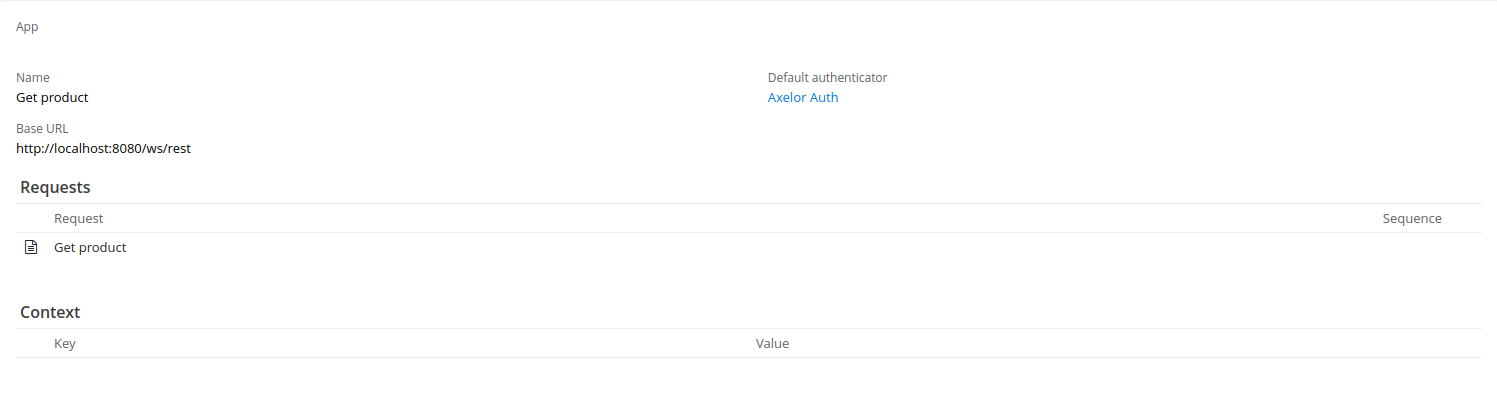
Connecting to an Axelor Instance
Introduction
This use case shows how to use the Axelor REST API to retrieve data from an Axelor instance. For details on the REST API, refer to the official Axelor documentation.
Goal: Fetch a Specific Product
In this example we retrieve a product by sending a request to an Axelor instance. It is a connector with a single request of type GET that fetches a product by its ID.
The web service is accessible with the following URL pattern:
GET /ws/rest/:model/:id
GET /ws/rest/com.axelor.apps.base.db.Product/1 HTTP/1.1
Accept: application/json
Authentication
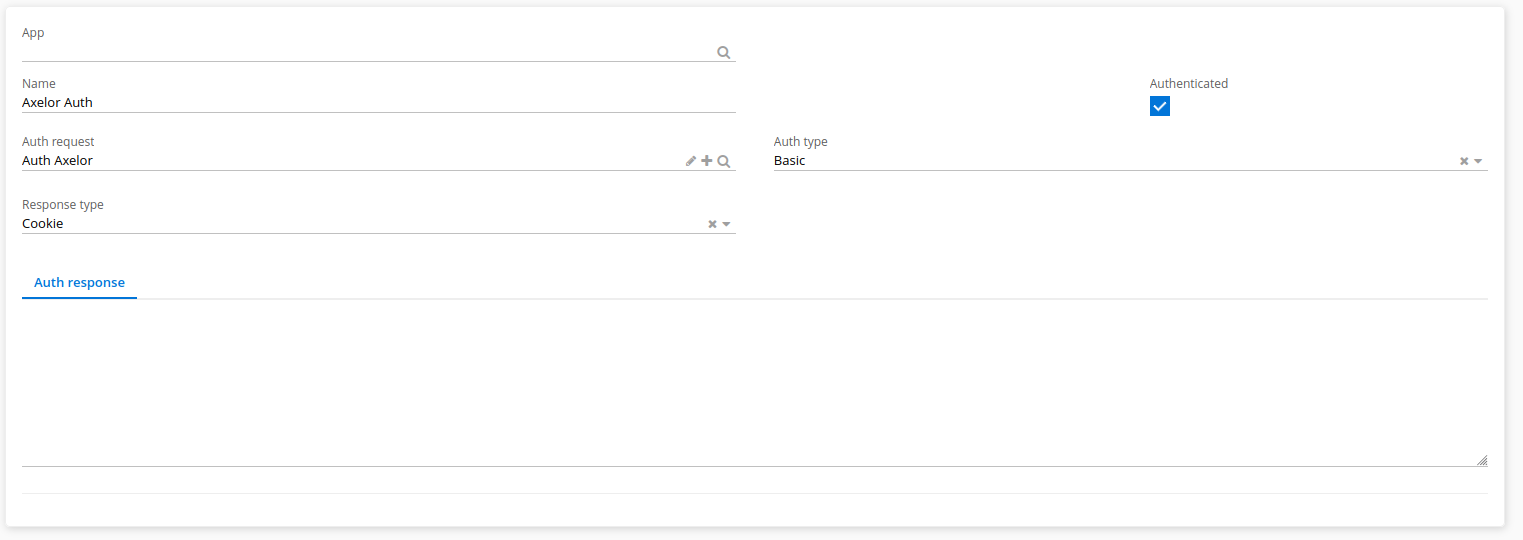
To connect to an Axelor instance, create an authenticator. This is a custom authentication that requires a username and a password.
The authentication request:
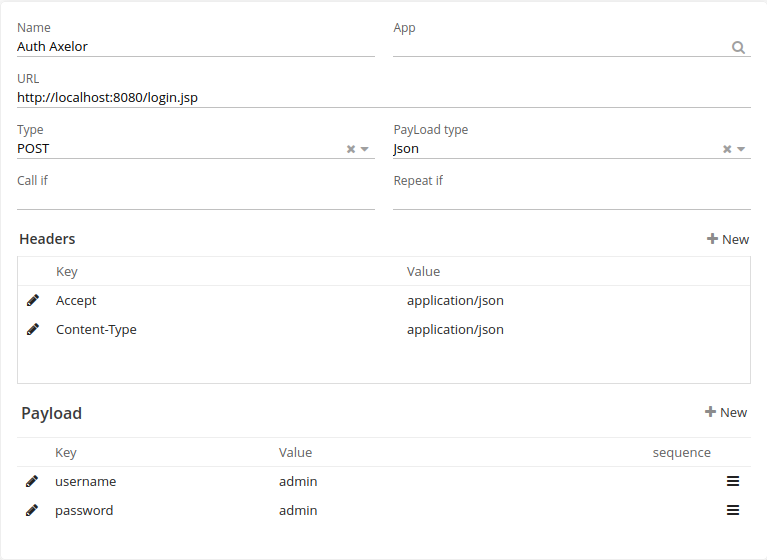
This is a Basic authentication where the token is stored in cookies, so the cookie response type is selected. Click Authenticate to test whether the authentication succeeds.
Get Product Request
To get a product by ID, send a request to:
GET : baseUrl/com.axelor.apps.db.Product/${productID}
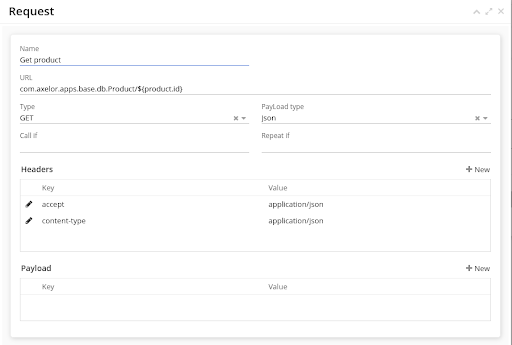
You can provide the product ID through the connector context by passing it from the BPM connector script. Every dynamic value is written as ${…} and is processed as a Groovy template.
|